
Multizone | All our technotes
If we've published it, you can find it here.

KeeWeb for Ubuntu 21.04
KeeWeb is a free cross-platform password manager compatible with KeePass. The KeeWeb desktop apps look beautiful on each supported platform. You can open local KeePass data files in the desktop apps. KeeWeb doesn't require a server or additional resources. KeeWeb can run either in browser, or as a desktop app.

KeePass desktop (it has a built in demo mode to help you get the hang of it) on Ubuntu 21.04
"For those of you who need cross platform password management on Linux, macOS, and in your browsers and mobile devices, KeePass based tools are what you need. KeeWeb delivers a rock solid, beautiful open source desktop password manager for Ubuntu Linux compatible with the KeePass format, that is free and open souce, without ludicrous subscription fees."
TL:DR— If you have been looking for password manager without a subscription you found it!
- Details

Ubuntu 21.04 is here!
"For developers and innovators, Ubuntu 21.04 delivers Wayland and Flutter for smoother graphics and clean, beautiful, design-led cross-platform development."
Heres living proof that screen sharing works now. macOS with Screen Sharing to Ubuntu 21.04. Zero Setup. Just enable Screen Sharing in settings.

Ubuntu 21.04 desktop over macOS Screen Sharing app (essentially VNC).
Ubuntu 21.04 is the latest version of the Ubuntu operating system for desktop PCs and laptops with nine months, until January 2022, of security and maintenance updates. It was released on 22nd April 2021.
TL:DR— If you need the latest released edition of Ubuntu, this is for you but read the release notes before jumping in!
- Details
Read more: Ubuntu 21.04 delivered Wayland, Flutter and Screen sharing!

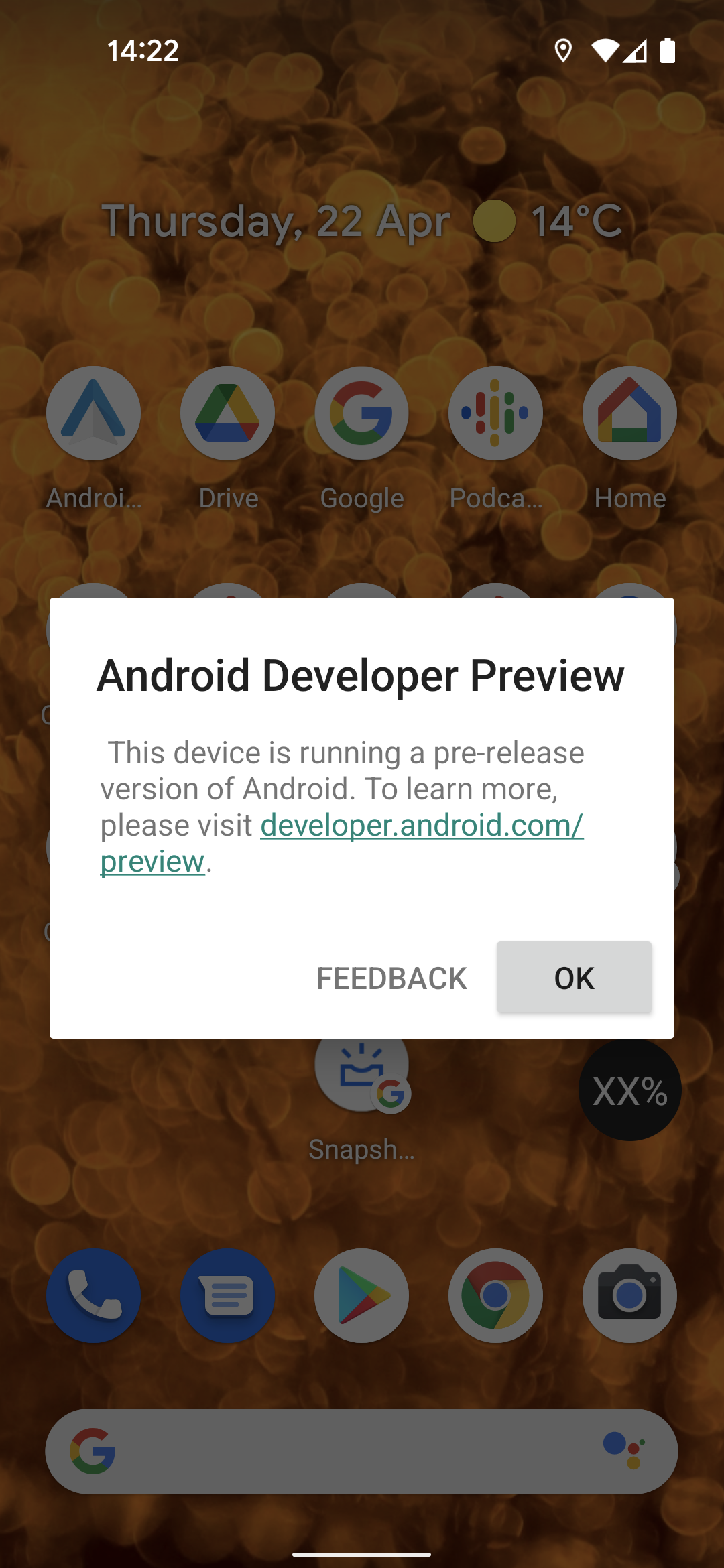
Android 12 Developer Preview
This article is about installing Android 12 on a supported Google Pixel device using the OTA image. If you have a compatible device you can try out Android 12 today. You can get back to the current release, or just wait for further over the air updates from the preview.
TL:DR— If you have a recent Google Pixel phone and the Android developer tool 'ADB' which is part of the developer tools this is easy enough to do.
Android 12 images are available for Google Pixel 5, 4a, 4a (5G), 4, 3a, 3a XL, 3, and 3 XL devices.
The OTA image shouldnt (and in my case didnt) cause any problems, and should not wipe your data but your mileage may vary! I havent noticed any reliability issues in the last couple of days having installed it on a Pixel 4a (5G) phone.
More polish in the User experience
Androis 12 includes a few improvements you'll notice immediately and many that you won't notice yet because developers need to build apps that support them or they are not yet in the build of Anrdoid 12 that has been made available.
- New call notifications have more visibility.
- Notifications can be snoozed.
- Screenshots can be annotated in the editor with text or stickers.
- Alarms require less battery if implemented using inexact alarms.
- Web linking respects your default browser rather than from a chooser dialog.
- Richer haptics on devices that can support them.
- Details
Kali NetHunter
Kali NetHunter is an Android ROM overlay for a rooted, supported device, that includes a robust Mobile Penetration Testing Platform. It comprises tools from Kali Linux as well as some additional android specific functionality. As well as a command line, it has the ability to get a full VNC session from your phone with access to these sophisticated tools for pen testing your environment or one you have permission to assess.
This article is about installing on the Nexus 7 with the pre-built image. If you have a compatible device you can turn it into a portable, dirt cheap penetration testing platform.

TL:DR— This requires an advanced understanding of Android firmware, and you may well have to flash your device back to OEM firmware more than once befode you can make it work so you should be proficient at that process but if you have a supported device it is a well maintained invaluable tool for the information security professional.
- Details
iOS 14.4.2 and iPadOS 14.4.2
iOS 14.4.2 is a security update available for: iPhone 6s and later, iPad Pro (all models), iPad Air 2 and later, iPad 5th generation and later, iPad mini 4 and later, and iPod touch (7th generation)

TL:DR— Install right away. Security fixes.
- Details

Why a Mac Mini in 2026?
The Mac mini has quietly become one of Apple's most compelling desktop computers. What started as a budget entry point has evolved into a genuinely powerful machine — and with Apple Silicon now several generations deep, it remains an outstanding choice for developers, creatives, and anyone who wants serious desktop performance without the price tag of a Mac Studio or Mac Pro. This guide documents the setup process and key customisations for macOS on a Mac mini, updated for 2026.
The original version of this article was written when the M1 Mac mini arrived in late 2020 — a landmark moment, as it was the first desktop Mac to ship with Apple's own silicon. Since then, the Mac mini has been updated through M2 and M4 generations, each bringing meaningful gains in CPU throughput, GPU performance, and machine learning acceleration. If you're setting up a Mac mini today, the core macOS configuration steps remain broadly the same, but the hardware, the software, and the security landscape have all moved on.
TL;DR macOS setup steps and security hardening, updated for current hardware and macOS versions. Might save someone an afternoon.
{ToC}
What's changed since the M1 was introduced in 2020
When Apple introduced the M1 Mac mini in November 2020, it was a significant moment. The M1 chip was the first in a new family of processors Apple designed specifically for the Mac, and the performance jump over the Intel models it replaced was substantial — Apple cited up to 3.5× faster CPU performance, up to 6× faster GPU performance, and up to 15× faster machine learning compared to the previous generation.
M1 is the first in a family of chips designed by Apple specifically for the Mac. It is by far the most powerful chip we have ever made.
By 2026, the Mac mini line has moved well beyond M1. The current models ship with Apple Silicon that makes the original M1 look modest by comparison. The base configuration now offers more unified memory than the M1's maximum of 16 GB, and storage options have expanded accordingly. If you are buying new, you are getting a meaningfully faster machine — but the setup process and macOS hardening advice in this guide applies across all Apple Silicon Mac mini models.
On the software side, macOS has also moved on considerably since Big Sur. The System Preferences application was redesigned and renamed System Settings in macOS Ventura, and that redesign has been refined further in subsequent releases. All navigation paths in this guide reflect the current System Settings layout rather than the old System Preferences structure.
Specification
The steps in this guide were originally documented on a Mac mini with 16 GB unified memory and 512 GB of storage, running macOS Big Sur. They have since been updated to reflect current macOS releases. If you are setting up a current Mac mini, your configuration options will differ — unified memory and storage tiers have expanded — but the process is the same.
To check your own specification at any time, go to the Apple menu and choose About This Mac. This gives you a summary of your chip, memory, and storage.
Initial setup
The Setup Assistant walks you through country and region, accessibility options, network configuration, and Apple ID sign-in. It has been refined over successive macOS releases and is straightforward. Take your time with the accessibility options — they are easy to skip past but worth reviewing, particularly display scaling and pointer settings if you are coming from a different platform.
One thing that has not changed: macOS will assign your Mac a default computer name — something like "Angus's Mac Mini" — and does not prompt you to change it during setup. For anyone who manages multiple machines, or simply prefers tidy hostnames, fix this immediately.
Setting the computer name from the command line
% scutil --set ComputerName "m1n1"
% scutil --set LocalHostName "m1n1"
% scutil --set HostName "m1n1"
Replace m1n1 with whatever name suits your setup. Keep it lowercase, keep it short, and make it recognisable — especially if it will appear in terminal prompts, SSH configs, or local network discovery.
Hardware considerations
Steve Jobs coined "BYODKM" — Bring Your Own Display, Keyboard and Mouse — when the Mac mini launched in 2005, and it still holds. The box contains a power cable and nothing else. Plan accordingly.
The current Mac mini ships with a front-facing USB-C port alongside its rear ports, which makes connecting peripherals more convenient than on earlier models. Thunderbolt 4 and USB-C connectivity is now standard, so a modern USB-C or Thunderbolt hub is a worthwhile investment if you have several peripherals. HDMI output is retained for display connectivity.
A USB switch — a hardware device that lets multiple computers share a keyboard, mouse, and other USB peripherals — remains a practical solution if the Mac mini is one of several machines on your desk. These require no drivers and work reliably. Bluetooth keyboards and mice are fine for most users, but if you prefer wired peripherals for reliability or security reasons, a USB switch keeps things manageable.
Wired Ethernet is worth using where available. The Mac mini includes a Gigabit Ethernet port (upgradeable to 10 Gigabit on higher-end configurations), and a wired connection is more stable and more secure than Wi-Fi for a desktop machine that rarely moves.
Security hardening
The following settings are worth reviewing on any new Mac setup. Navigation paths reflect the current System Settings layout in recent versions of macOS. Where a setting has moved since older guides were written, the current location is noted.
- Handoff — Handoff routes data through Apple's servers to work across devices. If you value privacy over convenience, disable it in System Settings → General → AirDrop & Handoff and turn off "Allow Handoff between this Mac and your iCloud devices".
- Guest User — Go to System Settings → Users & Groups. Guest User should be off by default; confirm it is disabled.
- Diagnostics and analytics — Disable sending usage data to Apple in System Settings → Privacy & Security → Analytics & Improvements. Uncheck options for sharing Mac analytics, iCloud analytics, and Siri & Dictation improvement data.
- Privacy permissions — Review app permissions periodically in System Settings → Privacy & Security. Pay particular attention to Location Services, Microphone, Camera, and Accessibility. If an app has Accessibility access and you don't know why it needs it, revoke it.
- Screen lock — In System Settings → Lock Screen, set "Require password after screen saver begins or display is turned off" to Immediately or 5 seconds. The shorter the interval, the better.
- Firewall — Enable the firewall in System Settings → Network → Firewall. Turn it on. Developers may need to add exceptions for local development tools, but the default settings are appropriate for most users.
- FileVault — Enable full-disk encryption in System Settings → Privacy & Security → FileVault. On Apple Silicon Macs, FileVault encryption is tightly integrated with the Secure Enclave and the performance impact is negligible. There is no good reason not to enable it. Note: the initial encryption pass can take a long time on large drives. Start it when you can leave the machine running — a Friday evening is a reasonable suggestion.
- Network interfaces — Reduce your attack surface by disabling unused network interfaces in System Settings → Network. If you are using wired Ethernet, you may not need Wi-Fi active at all times. Turn Bluetooth off entirely if you have no Bluetooth peripherals.
- Spotlight and Siri suggestions — In System Settings → Siri & Spotlight, review what Spotlight is permitted to search and whether Siri Suggestions are enabled. Siri Suggestions send your search queries to Apple. Disable them if you prefer your searches to stay local.
- Passwords and passkeys — macOS now includes a built-in Passwords app (introduced in macOS Sequoia) as a standalone password manager, separate from the Keychain. Review it in System Settings → Passwords and consider whether it meets your needs, or whether you prefer a third-party manager. Either way, use a password manager — do not reuse passwords.
- Automatic updates — In System Settings → General → Software Update, enable automatic security responses and system data file updates. These are low-risk updates that Apple can deliver rapidly in response to active threats, without requiring a full OS update.
Finder customisations
A few Finder adjustments that make day-to-day use more sensible:
- Open Finder → Settings (previously Preferences) and set new Finder windows to open your home folder rather than Recents.
- Enable "Show all filename extensions" in the Advanced tab. This avoids surprises when dealing with files that have misleading icons.
- Show hard disks and external drives on the desktop — useful for quick access and as a visual reminder of what is mounted.
- In View Options (with no window open, so changes apply to the desktop), adjust grid spacing and text size to your preference, and turn on item info to show file sizes beneath icons.
- In the Finder sidebar, review which locations and tags are shown. Remove anything you never use — it keeps the sidebar readable.
Further reading
Apple's official documentation for the Mac mini is maintained and kept current at support.apple.com/guide/mac-mini.
- Details

Data loss remains one of the most stressful experiences a computer user can face, whether caused by hardware failure, accidental deletion, or something more sinister like ransomware. In 2026, GNU ddrescue remains the gold standard for low-level data recovery on Linux — a battle-tested tool that has been actively maintained for over two decades. This guide walks you through the full recovery workflow on Ubuntu Linux: diagnosing your drive with smartctl, visualising your disk layout with GParted, and performing the actual rescue with GNU ddrescue. Where relevant, we also cover DDRescue-GUI, a paid graphical front-end that makes the process considerably more approachable.
TL;DR — GNU ddrescue provides the most reliable way to copy as complete an image as possible from a failing drive, minimising the risk of catastrophic data loss. Before you reach for it, though, check your drive with GParted and smartctl from smartmontools. If the drive is actually healthy, you may be able to simply mount it and copy your files the normal way — no imaging required.
- Details
Read more: Disk Recovery Success Using GNU ddrescue on Ubuntu Linux
