
Learning Flutter
Wait, what is Flutter™ ?
A framework for simultaneous publication of apps for Apple and Google Android devices
Flutter is an open source framework by Google for building beautiful, natively compiled, multi-platform applications from a single codebase.
I create mobile applications that can be published in the App Store and Google Play. I'm not a hard core developer, I have professional developers working with me in my clients and contracted work. But I am a product manager / interim CTO.
It seemed to me that going through the whole process of app creation and management and documenting it for others would be useful. I've been writing requirements and producing mobile applications for decades but I thought I'd like to learn at a far deeper level about Flutter just for fun and because cross platform applications are something I have a passion for. This is my learned experience of picking up these development tools and seeing what I can do.
Books
You might enjoy printed books. If you do then this one would be a strong pick - Flutter for Beginners: An introductory guide to building cross-platform mobile applications with Flutter 2.5 and Dart, 2nd Edition. As is Flutter Projects: A practical, project-based guide to building real-world cross-platform mobile applications and games (both on Amazon UK).

Of course, one does not simply publish an app.
In order to publish an app you have to plan, code, build, test, publish, operate, monitor, manage and update it. This is a familiar pattern these days, its sometimes called 'devops', and it can't be avoided, for if you skip elements of it then updating your app or managing it might become impossible over time. You don't want that! So while this collection of articles is based around Flutter it is also about all the surrounding disciplines that need to be considered as part of development and operating a cross platform mobile application and the inevitable platform behind it.
Flutter tech notes and demos

Building for One, Part one: a calm iPad display for someone living with dementia built a calm daily tablet display for someone in the early stages of dementia, and Building for One, Part nine: the free tablet and the paid household built the server that lets a family edit the day from somewhere else. That work is not finished. This part is about the thing we built first instead: the chime, following her out of the app when she is somewhere else on the tablet.
It took two days, four builds, and three reversals, two of them prompted by a real tablet in a real hand. It is in testing on all three platforms now.
TL;DR – The display still does the job while it is on screen. A notification is there only for the moments it is not: laid when the app leaves the screen, taken back when it returns, and never shown over the day itself.
- Details
Read more: Building for One, Part ten: the chime that follows her out of the app

Building for One, Part one: a calm iPad display for someone living with dementia built a calm daily tablet display for someone in the early stages of dementia. Building for One, Part nine: the free tablet and the paid household built the server that lets a family change the day from somewhere else, and Building for One, Part eleven: two days between finished and in review took the household plan to three stores’ reviewers. This part is about the website the family actually uses: where they sign up, connect the tablet, invite a carer, and change tonight’s tea.
The app was in review, and frozen, so the work moved to daysome.org. It took ten small releases of our server extension and a fair amount of Joomla’s own settings, and it taught us more about Joomla’s login than we had expected to learn.
TL;DR – Joomla already does accounts, sign-in, and privacy properly, so the job was not to replace any of it. It was to make the gaps between Joomla’s pages and ours invisible to somebody who has never heard of Joomla and only wants to get thir mum’s tablet connected.
- Details
Read more: Building for One, Part twelve: Joomla as the household's front door

Building for One, Part one: a calm iPad display for someone living with dementia built a calm daily tablet display for someone in the early stages of dementia. Building for One, Part nine: the free tablet and the paid household built the server that lets a family change the day from somewhere else, and Building for One, Part ten: the chime that follows her out of the app took a detour to make the chime reach her in another app. This part is about what came after the code was finished: getting a paid plan in front of three stores’ reviewers.
It took two days. Very little of it was programming, and the programming that did happen was mostly the build breaking in ways we had not seen before.
TL;DR – A store review checks that everything you say about an app agrees with everything else you say, and with what the app does. Once the app holds an account and takes money, that is a lot of things to keep in agreement, and most of them are not code.
- Details
Read more: Building for One, Part eleven: two days between finished and in review

Building for One, Part one: a calm iPad display for someone living with dementia built a calm daily tablet display for someone in the early stages of dementia, and Building for One, Part eight: why Daysome is not peer to peer argued that the first thing it could not do, being edited from a phone that is not in the house, needed a server rather than two devices talking to each other. This part is what happened when we built it, and the decision that came out of the other end: what stays free, what is paid for, and how a family pays.
It was a week. Most of it was not spent on the thing the family will notice.
TL;DR – The tablet stays free and complete. What a family pays for is the household: the same day on the website, on more than one tablet, for more than one person. The tablet shows a code, the website claims it, and the server holds the plan so that any tablet in the house unlocks together.
- Details
Read more: Building for One, Part nine: the free tablet and the paid household

Building for One, Part one: a calm iPad display for someone living with dementia built a calm daily tablet display for someone in the early stages of dementia, and Building for One, Part seven: structure without a regime was about what it is doing in the house now that it is in daily use. This part is about the first thing it cannot do, and the decision about how it will.
The decision is where the day lives once more than one person needs to touch it. We were torn for a while between the two devices talking to each other and a server. We chose the server, and this is the argument, written down before the code so that it can be checked against what actually gets built.
TL;DR – The iPad does not need a server. The family does. Peer to peer solves the data problem, which we did not have, and leaves the people problem, which we do.
- Details
Read more: Building for One, Part eight: why Daysome is not peer to peer

Building for One, Part one: a calm iPad display for someone living with dementia built a calm daily tablet display for someone in the early stages of dementia, Building for One, Part five: everybody reads it before she does got it into three app stores, and Building for One, Part six: four names for one app was about what to call it. This part is the first of a few shorter pieces, written now that it has been in daily use for a month, about what it is doing in the house rather than how it was built.
It is about the question we are asked most often, which is whether a timetable on a screen is not a bit regimented for somebody with dementia. It is the right question, and answering it turned out to be the whole design.
TL;DR – Structure is what a day looks like from inside it. A regime is what it looks like to whoever is checking. We think the display works because it gives her the first and refuses, at every turn, to become the second.
- Details
Read more: Building for One, Part seven: structure without a regime

This is the first part of a build-in-public series about an app we have been thinking about for a year or more, finally started work on, and are still building. It is called Daysome, although the icon reads My Day. It shows one person, on one iPad, what day it is, what is happening now, what is coming next, and what is for tea. That is the whole thing.
We are writing this up as we go rather than after the fact, partly because the interesting decisions are the ones that get forgotten once a product looks finished, and partly because we are looking for a small number of families and care professionals to test it on real hardware. If that might be you, there is a note at the end.
Daysome - a calm iPad display for someone living with dementia
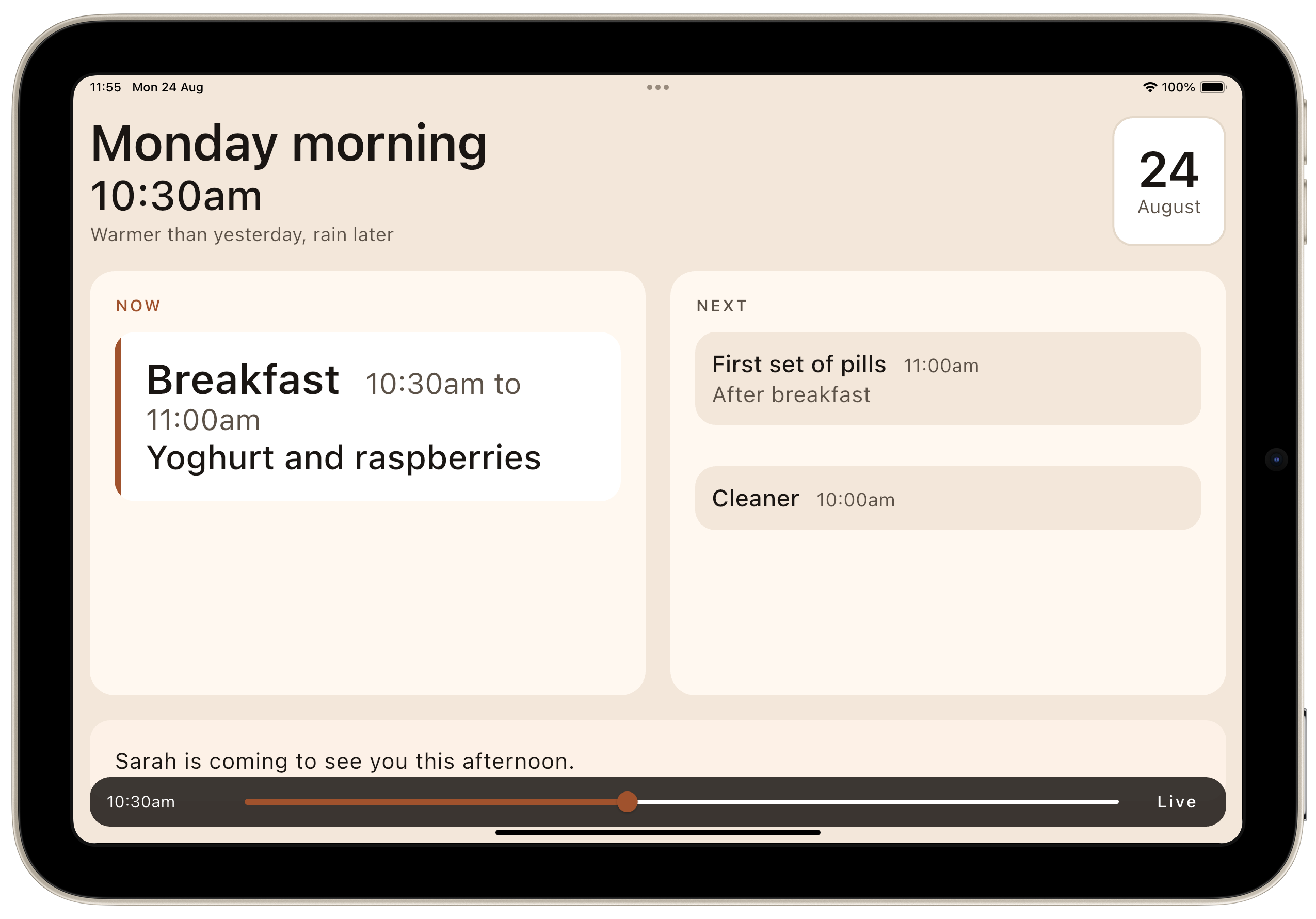
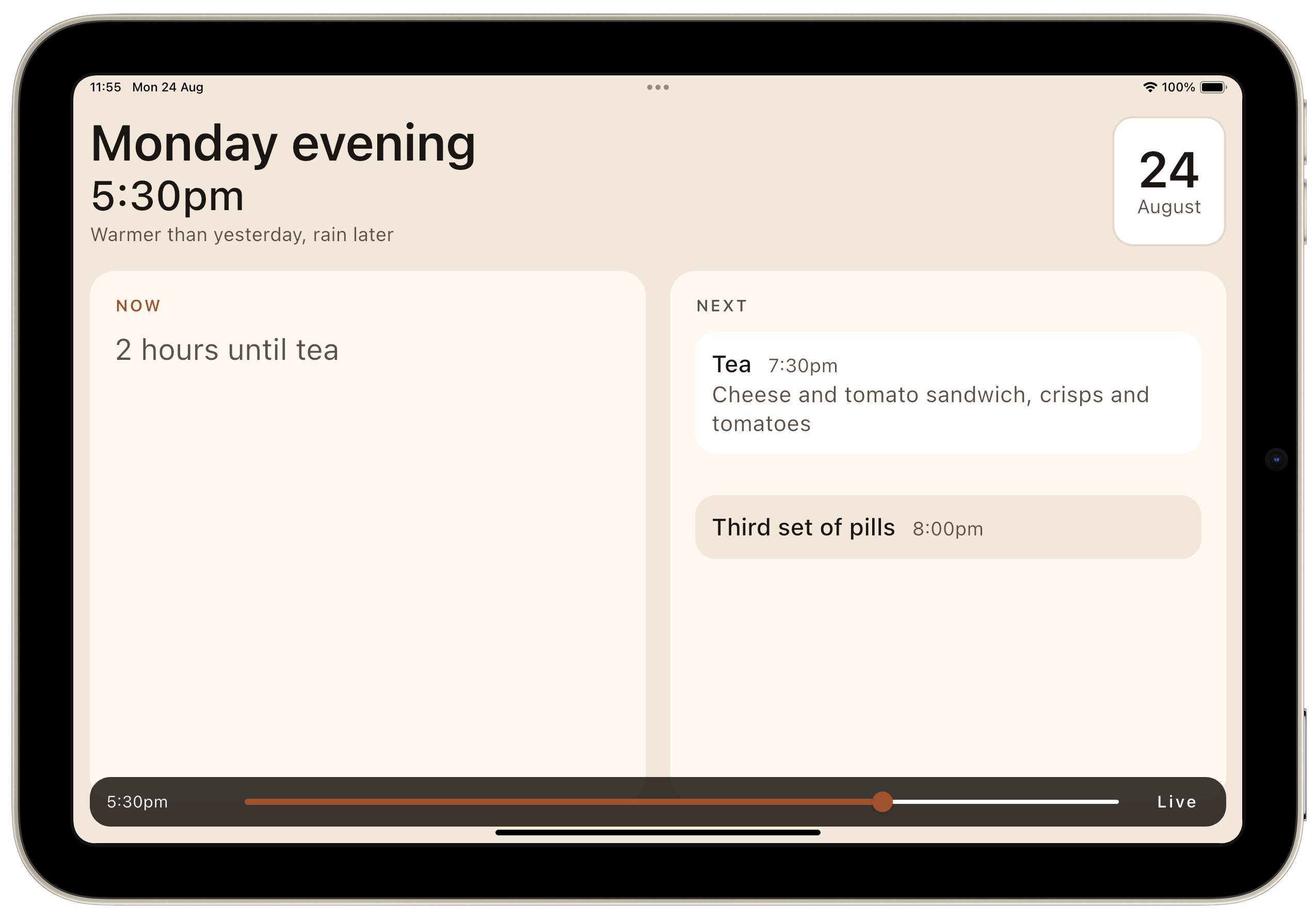
TL;DR – Part one covers the first few days: where the idea came from, why we chose the stack we did, how the requirements arrived, one small development tool that saved more time than anything else we built, and the point at which we put it under version control and pointed it at TestFlight, Apple's app testing system for the App Store.
- Details
Read more: Building for One, Part one: a calm iPad display for someone

Building for One, Part one: a calm iPad display for someone living with dementia ended with an app that ran. A calm iPad display for someone in the early stages of dementia — what day it is, what is happening now, what is next, and what is for tea. Tested, documented, and living entirely on one laptop. If you are less interested in the tooling feel free to skip to Building for One, Part three: what a real iPad changed
TL;DR – Part two is about the two days spent turning that into this:
git push origin v0.1.0-beta1One command. It runs the audit, builds both platforms, archives and signs iOS against a pinned certificate, signs Android with its own upload key, and delivers to TestFlight and Google Play internal testing. Both stores, from one tag.
- Details
Read more: Building for One, Part two: what it costs to buy one command

Building for One, Part one: a calm iPad display for someone living with dementia built a calm daily display for someone in the early stages of dementia. Building for One, Part two: what it costs to buy one command spent two days turning it into one command that ships to both stores. This part is about the afternoon it finally ran on a real iPad, and how much of the design turned out to be wrong.
Not broken, just wrong in the way things are wrong when you have only ever seen them on a desktop display.
TL;DR – A simulator tells you whether something fits. Only a device tells you whether it reads. And only a person tells you whether any of it was the right idea.
- Details
Read more: Building for One, Part three: what a real iPad changed

Building for One, Part one: a calm iPad display for someone living with dementia built a calm daily display for someone in the early stages of dementia. Building for One, Part two: what it costs to buy one command spent two days turning it into one command that ships to TestFlight and Play. Building for One, Part three: what a real iPad changeddiscovered, on a real device, how much of the design had been wrong.
This part is shorter and cheaper, and it starts with something that is meant to be a treat in build-in-public writing: a thing that worked first time.
TL;DR – A £200 Amazon Fire Max 11 tablet ran the build with no changes at all. Then we read the real screen numbers off the device, which proved a careful hedge wrong and uncovered a live layout bug in about ninety seconds. The lesson is about the guess, not the bug.
- Details
Read more: Building for One, Part four: £200 tablet just worked

Building for One, Part one: a calm iPad display for someone living with dementia built a calm daily tablet display for someone in the early stages of dementia, and Building for One, Part five: everybody reads it before she does got it into three app stores. This part is a coda, written while we wait for feedback rather than build anything.
It is about the names. There are four of them, and that is not an accident or an oversight.
TL;DR – A name is not a brand, it is an answer to a question, and four different people ask four different questions.
- Details
Read more: Building for One, Part six: four names for one app

Building for One, Part one: a calm iPad display for someone living with dementia built a calm daily display for someone in the early stages of dementia, and Building for One, Part four: the £200 tablet that just worked put it on a £200 tablet. In between, two parts on turning it into one command that ships to both stores and on how much of the design real tablets proved wrong. This part covers the week after that: twenty-five beta builds, and the same app sitting in three review queues at once.
Almost none of that week was spent on the thing the app does. It was spent on the fact that three different people read this app before the person it is for ever sees it (an app reviewer, a tester, and the family member doing the installing), and each of them needs different words.
TL;DR – Getting those words wrong does not produce a bug report. It produces a rejection, or worse, a person reading something about themselves that nobody meant them to read.
- Details
Read more: Building for One, Part five: everybody read it before her
