

Many Joomla sites run on Cassiopeia, Joomla's excellent default template and most of them look like it. Making one truly yours has always meant template overrides, custom CSS, and a developer on standby. Cassiopeia Themer tears that requirement up: it turns the whole look and feel of your site into a set of visual controls in the Joomla admin, with a live preview, and not a line of CSS in sight.
The short version: if you run a Cassiopeia-based Joomla site, Themer is one of those extensions that quietly changes how you work — rebranding goes from a half-day job for a developer to a ten-minute job for you.
What it actually does
Themer is a control panel for Cassiopeia's front end. Every setting you change — colours, fonts, spacing, corners, backgrounds, favicon — is compiled into a single generated stylesheet that loads on top of the template, so your choices always win. Crucially, it does this without overriding or editing any template files. Nothing to break on the next Joomla update, nothing to hand-merge, no orphaned overrides to maintain.
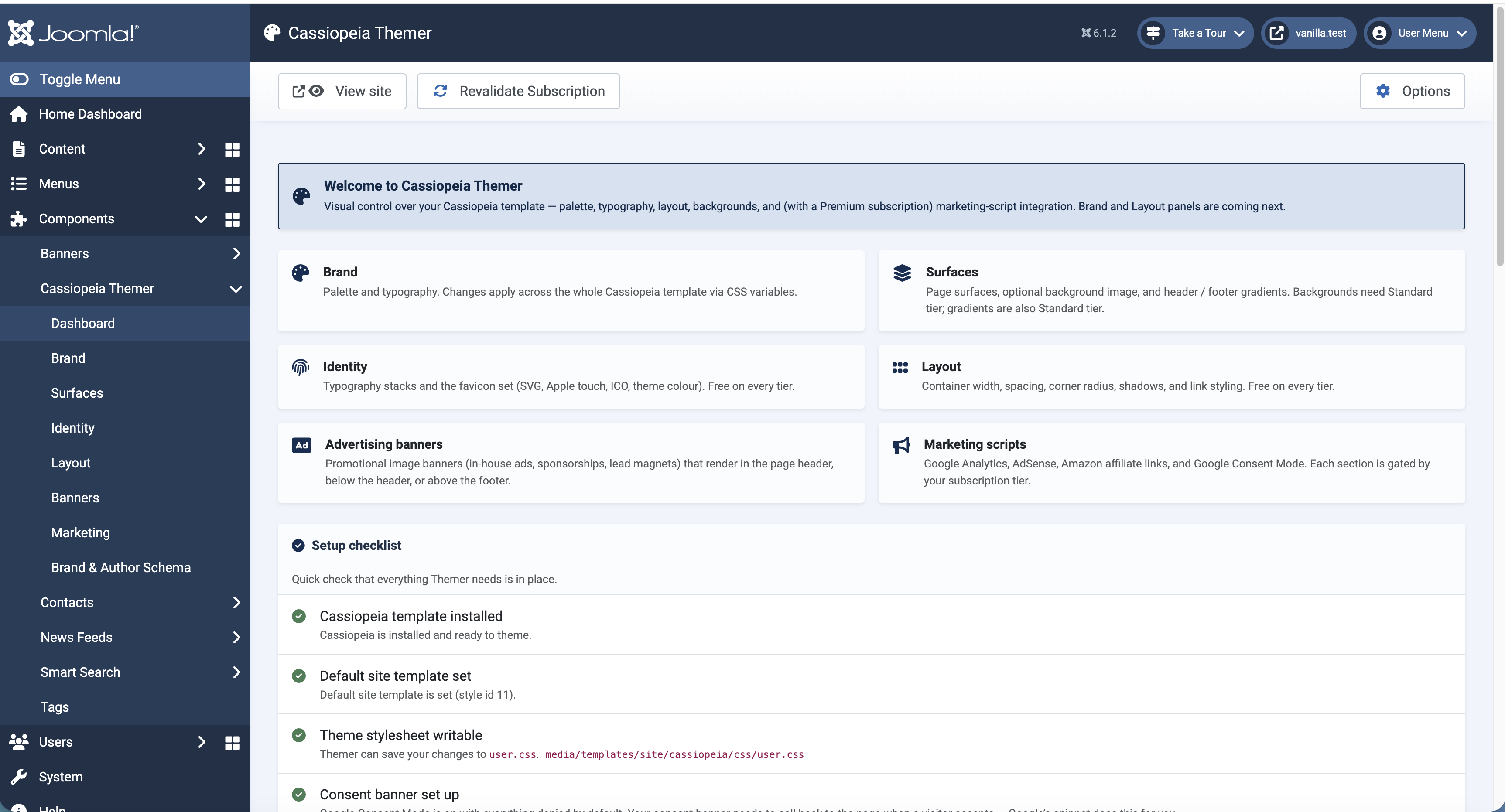
Branding, without the pain
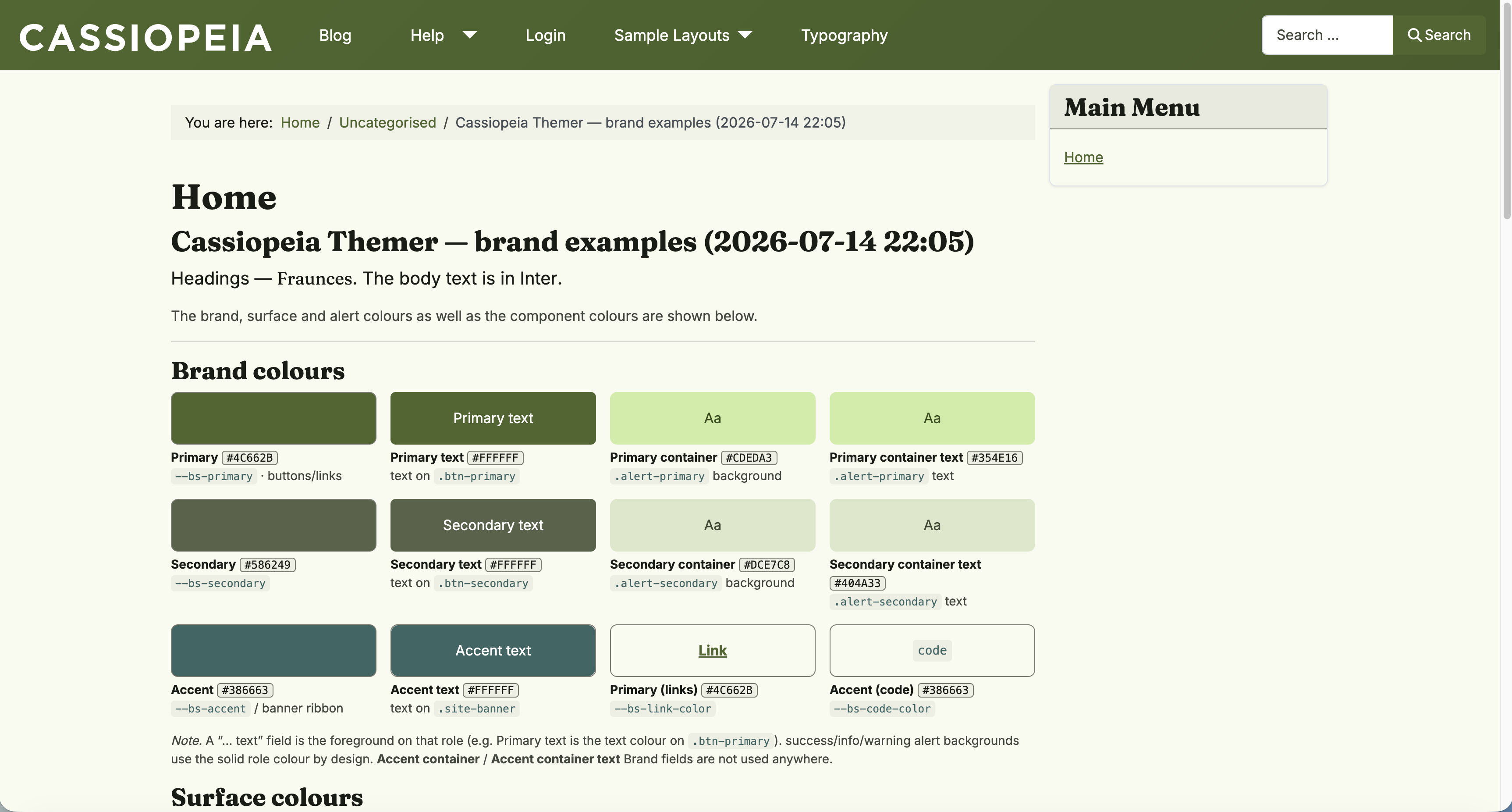
The Brand screen is where most people will start. You set your Primary, Secondary and Accent colours — each paired with its own readable "on" text and container variants — plus the semantic Success / Info / Warning / Danger colours. A built-in WCAG contrast checker flags combinations that won't be legible, so you get an accessible palette by default rather than by luck.
Two touches stood out. First, an "inferred" alert mode that derives soft, on-brand alert backgrounds from your palette instead of the default primary-colour Bootstrap alerts — so your notices look designed, not generic. Second, a "Create brand examples" button that generates a real front-end article showing every colour in your palette, with its hex value, rendered by the live site. It's a genuinely clever way to sanity-check a palette in context before you commit.
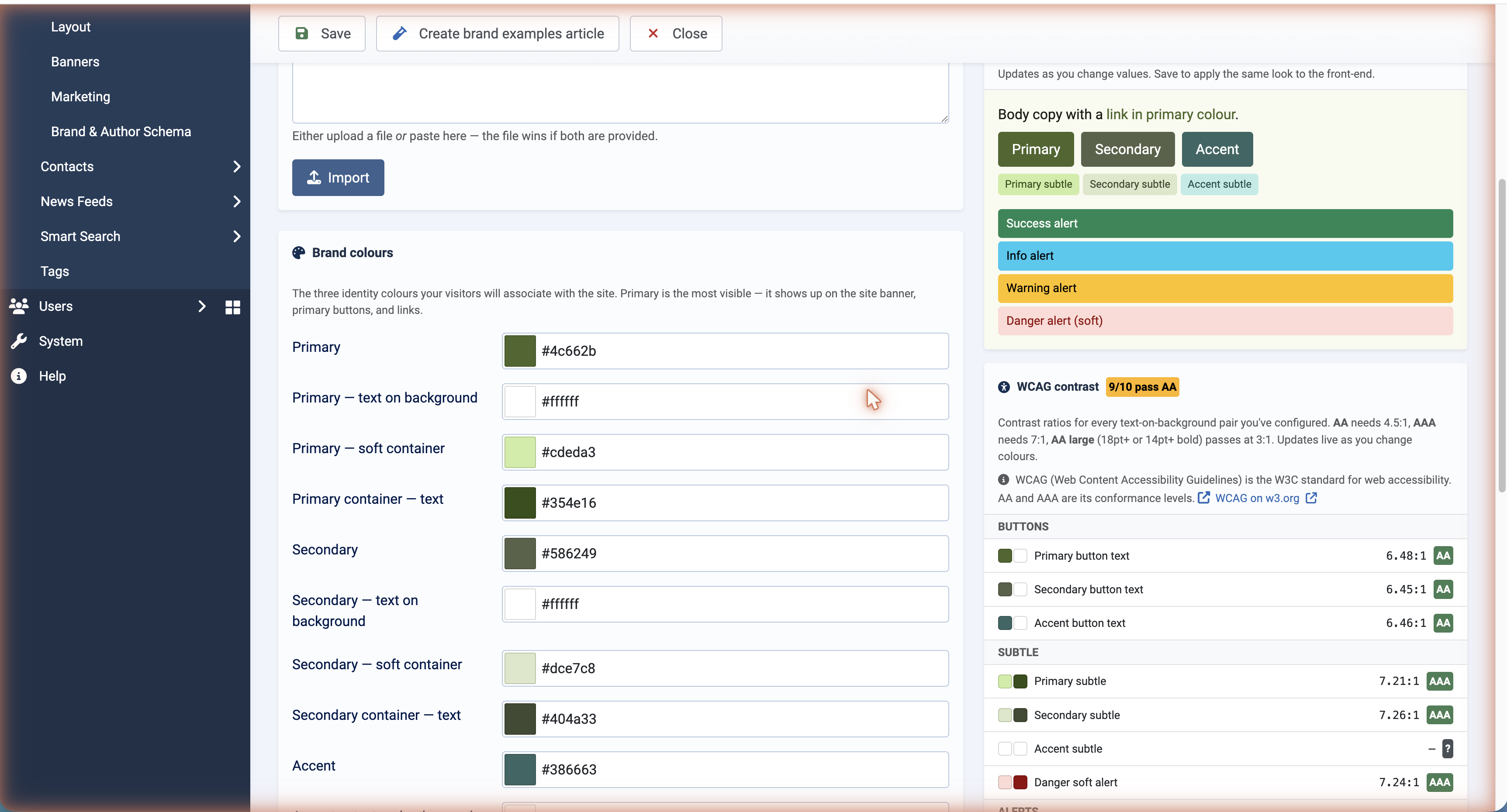
Surfaces, dark mode and depth
The Surfaces screen handles everything behind your content: page and body colours, headings, borders, and a proper Light / Dark / Auto appearance mode (Auto follows the visitor's own device preference). You can drop in a background image with cover/contain sizing and a fixed-attachment parallax effect, add header and footer gradients from a bundled preset library (including presets derived from your own palette), and pick card-hover effects and accordion styles. It's the difference between a flat, templated page and one with considered depth — set from dropdowns.
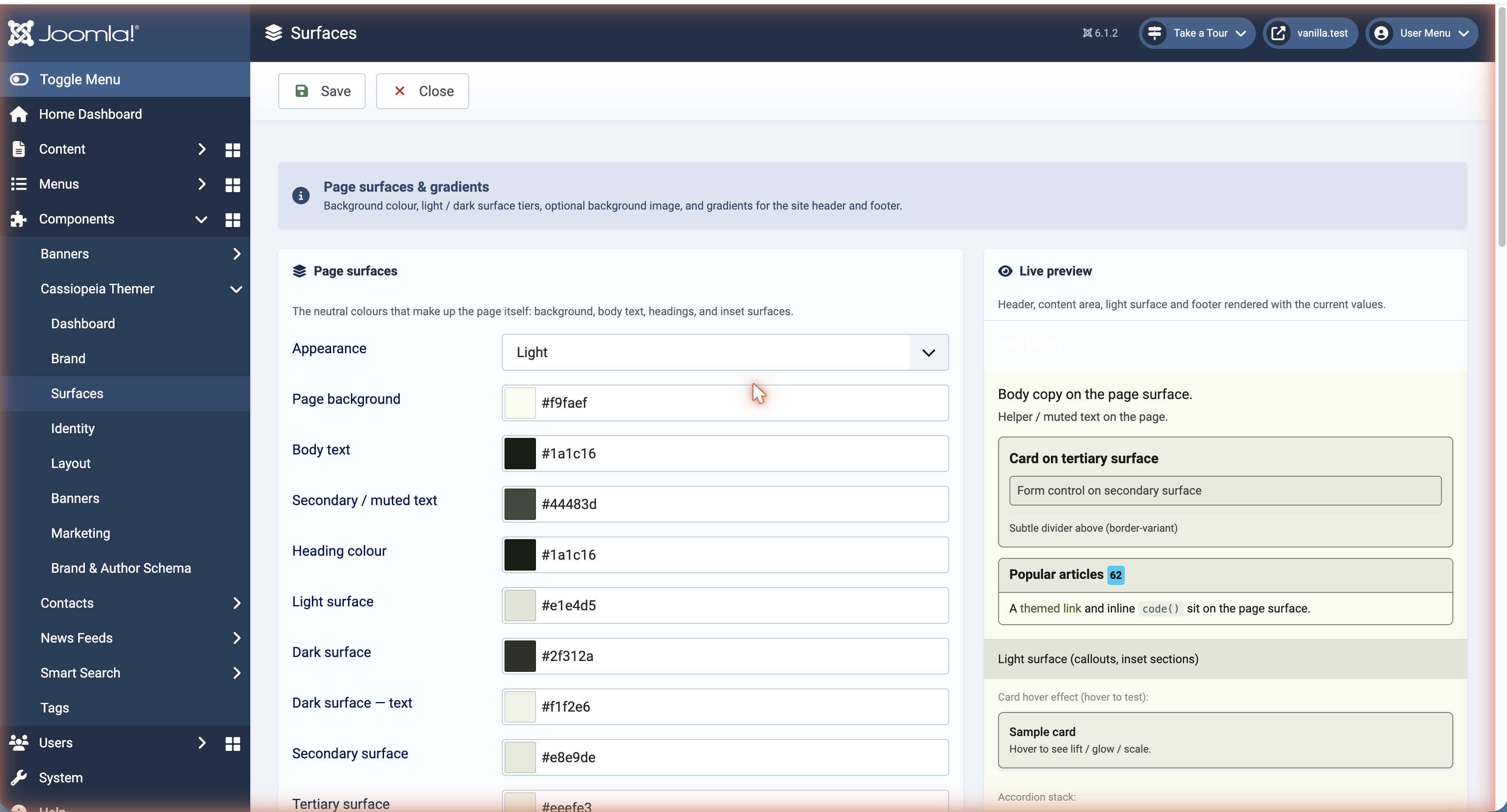
Typography that finally matches your brand
On the Identity screen you choose heading and body fonts from a search-as-you-type Google Fonts picker spanning 1,900+ families (bundled, so browsing never phones home), and Themer loads them on the front end for you. There's a reading- rhythm control for article bodies (compact / default / relaxed), and — again — a "Create typography examples" button that spins up a specimen article so you can preview a typeface on your real site before deciding. Typography is the fastest way to make a site feel bespoke, and this makes it a two-minute change.
A favicon and home-screen icon done right
Upload one SVG and Themer emits every favicon head tag and generates the 180×180 "Add to Home Screen" icon for iOS and Android — with a background colour that shows behind the icon on the browser tab and mobile chrome, and an optional glyph recolour. It even generates the home-screen icon in your browser, so it works on any host without special server software. A fiddly, easily-overlooked detail, handled in one field.
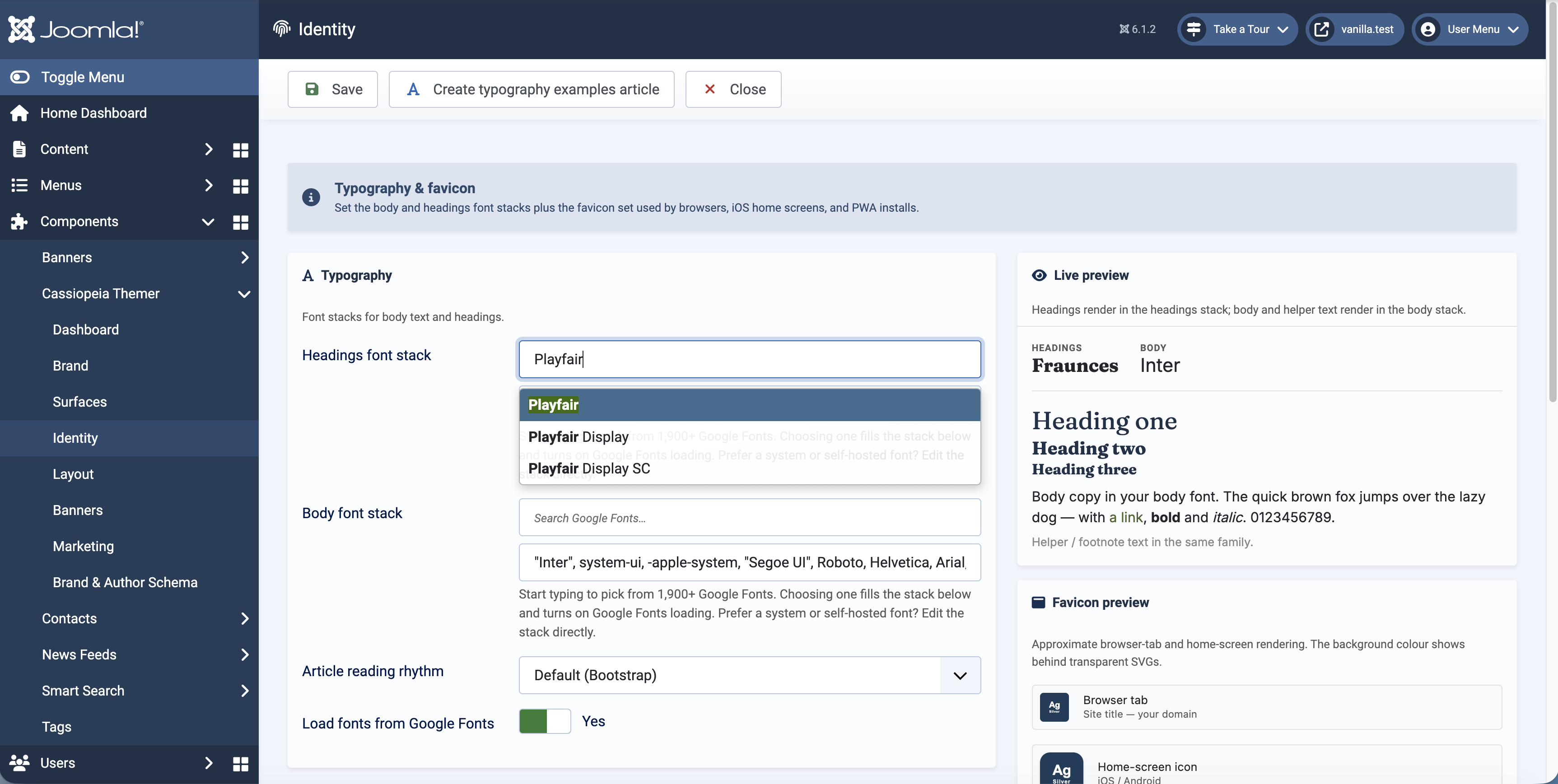
Layout control, down to the details
The Layout screen is deceptively powerful: container width, spacing scale, and a global shape language (border radius from sharp to pill, shadow from flat to pronounced) that ripples across the whole site. Beyond the globals there's fine control that usually needs a developer — article image styling (rounded corners, borders, a sensible max height so oversized images stop breaking your layout), a card layout for Category Blog listings, sticky-header and navbar options, menu disclosure indicators, link decoration, optional Bootstrap Icons and Prism.js code highlighting, and a Custom CSS escape hatch for the rare case you want it.
Banners, marketing and SEO — the extras that add up
Themer isn't only cosmetic. It ships site-wide banner slots (image or a composed gradient + headline + CTA, in header, below-header or before-footer positions). A Marketing screen wires up Google Analytics 4, Ahrefs' cookieless analytics, AdSense, Amazon affiliate-link rewriting across 21 marketplaces, and a proper Google Consent Mode v2 / CMP setup with a live test that confirms the consent banner is actually reaching visitors. And a Brand & Author Schema screen emits Person/Organization JSON-LD for SEO — the structured data that helps search engines understand who's behind your content — with import and cross-site identity options.
The free trial is genuinely useful
This is worth being clear about, because it's unusually generous: the free trial is a complete "make my site look good" toolkit. On the trial you get the entire visual side of Themer on one site —
- ✔ Full brand palette, semantic colours and the WCAG checker
- ✔ All typography, including Google Fonts loading and the font picker
- ✔ Favicon and home-screen icon generation
- ✔ Every layout control — container, spacing, shape, article images, blog cards, header, menu, links
- ✔ Background images with parallax, and header/footer gradients
- ✔ Unlimited banner slots
In other words, you can completely rebrand a Joomla site — for free — and only pay when you want the more advanced, revenue- and scale-oriented capabilities.
What the paid tiers unlock
The subscription tiers add the powerful theme-building and business features, plus more sites:
| Capability | Trial | Standard | Premium | Enterprise |
|---|---|---|---|---|
| Sites (permitted domains) | 1 | 3 | 6 | Unlimited |
| All visual editors (colours, fonts, layout, favicon, gradients, banners) | ✔ | ✔ | ✔ | ✔ |
| One-click Material Theme Builder palette import | — | ✔ | ✔ | ✔ |
| Ahrefs analytics & Amazon affiliate rewriting | — | ✔ | ✔ | ✔ |
| Google Analytics 4, AdSense & Consent Mode / CMP | — | — | ✔ | ✔ |
| Custom branding & priority support | — | — | ✔ | ✔ |
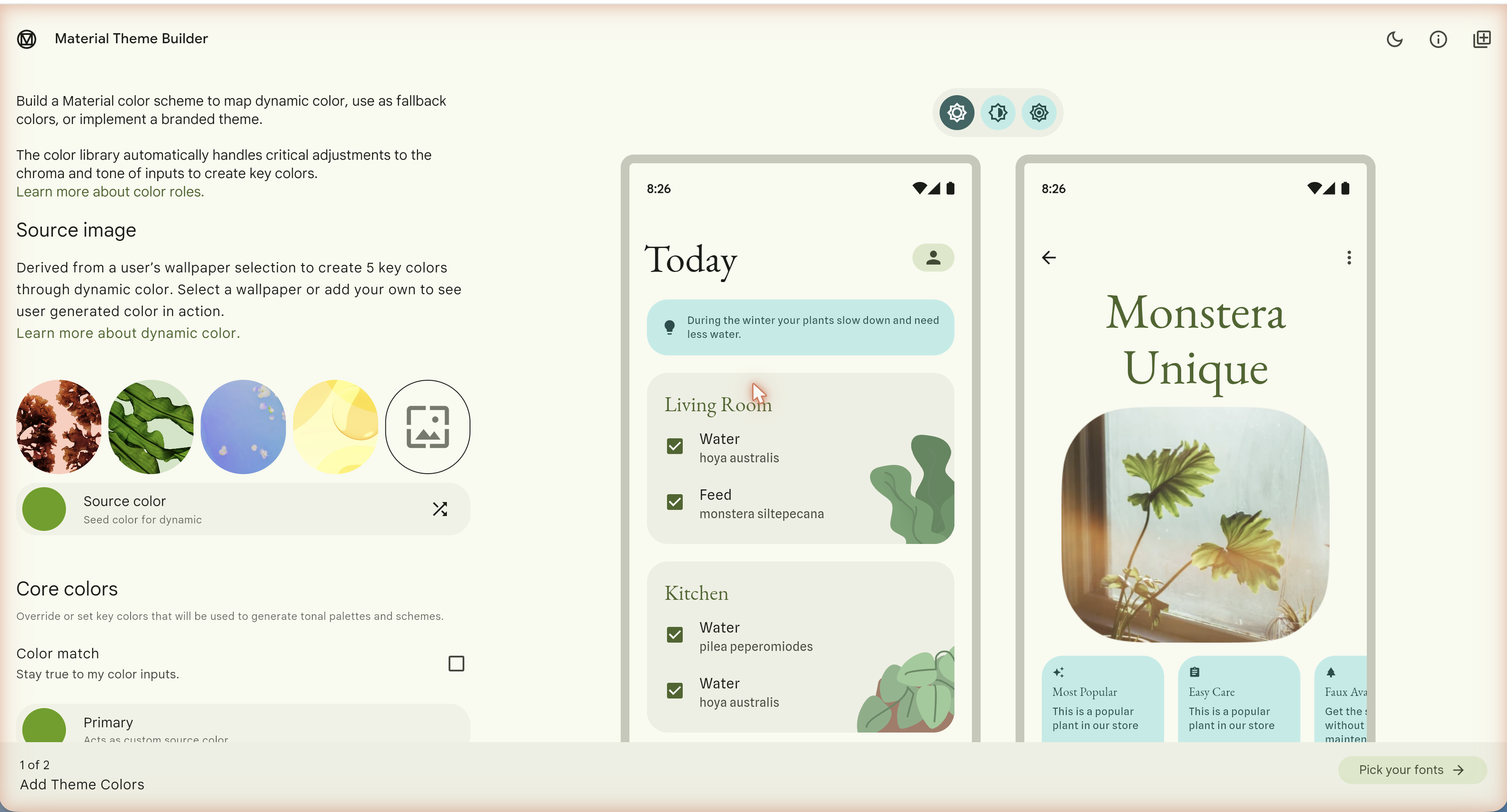
The standout paid feature for serious theme building is the Material Theme Builder palette import: design a palette in Google's Material tool (not part of Cassiopiea Themer), paste it into Themer, and it recolours your brand, surfaces, semantic and dark-mode colours across the whole template in a single click. Combined with dark mode and the gradient presets, it makes producing a polished, coherent theme genuinely fast.
The verdict
Cassiopeia Themer does something Joomla has needed for a long time: it puts the entire look of a site in the hands of the person who owns it, safely, without touching template files. The live preview means you design by seeing, not by guessing; the generated stylesheet means updates won't undo your work; and the trial is generous enough that you can rebrand a whole site before spending anything.
If you build or run Joomla sites on Cassiopeia, it's an easy recommendation from us, since we wrote it and its powering this web site. Start with the free trial to reskin a site end-to-end, and step up to a paid tier when you want the palette import, the analytics and monetisation stack, or to manage more sites from one licence.
