
Multizone | All our technotes
If we've published it, you can find it here.

Bootstrap Studio
Bootstrap Studio is a powerful desktop application for designing responsive websites using the Bootstrap framework — and in 2026 it has evolved into one of the most capable visual web editors available, now with built-in AI assistance.
It is a drag-and-drop editor that makes working with Bootstrap genuinely enjoyable. The app is built to lower the barrier to adopting Bootstrap, exports clean HTML, and has maintained a steady cadence of meaningful updates since its launch. It is an independent product — not made by the Bootstrap core team — but it tracks the framework closely and supports Bootstrap 5 throughout.
TL;DR It is very, very good — and in 2026, it just got smarter.
{ToC}
What's new in 2026
Bootstrap Studio has been actively developed right up to the present. Version 8.0.0, released in February 2026, was a landmark update that introduced an AI Assistant directly into the editor. The AI Assistant supports models from Google, Anthropic, OpenAI, OpenRouter, and even locally hosted models — giving you flexibility over which AI backend you use and how much you spend on it. Crucially, it works with your own API key and imposes no usage limits within the app itself.
Version 8.0.1 followed in March 2026, updating the model list to include the latest releases from OpenAI, Anthropic, and Google Gemini, keeping pace with the rapidly moving AI landscape. Two premium templates — Freshify and App Toolkit — were also added in the 8.0.0 release, expanding the template library further.
Earlier, version 7.1.0 (June 2025) added the Swiper component — a polished, touch-friendly slider — along with three premium templates: Agency Creative, Disrupted, and Healthy Colors. The release cadence has been consistent and the changelog remains well written, which continues to be a strong signal of a healthy, maintained product.
Licensing and installation
Bootstrap Studio is available as a one-time purchase with a lifetime licence that includes free upgrades. The pricing has shifted since the app first launched — check the official site for the current figure, as it has been updated over time — but the value proposition remains strong given the quality and regularity of updates. There is also a free trial version that runs in the browser, so you can get a genuine feel for the workflow before committing.
The app supports Windows, macOS, and Linux. The Linux AppImage continues to work well, including on Chromebook hardware. Download it, run chmod a+x filename in the terminal, and you are up and running.

The forum remains active and the release notes are detailed — both signs of a product that is genuinely cared for by its developers. After years of use, the stability record is excellent. No crashes, no lost work, no rough edges that make you distrust the tool.
One workflow that holds up particularly well: paste HTML from a CMS like Joomla into the editor, improve it with proper Bootstrap components, export clean HTML, and bring the relevant parts back into your CMS. Bootstrap Studio was not designed as a CMS companion, but it handles that role gracefully.
AI Assistant
The headline addition in version 8.0.0 is the AI Assistant, and it is worth discussing on its own terms. Rather than locking you into a proprietary AI service, Bootstrap Studio lets you connect to the model of your choice — OpenAI, Anthropic Claude, Google Gemini, OpenRouter, or a local model running on your own hardware. You supply your own API key, so there are no additional subscription fees baked into the app and no artificial caps on how much you can use it.
This is a sensible approach. It means the feature stays useful as the AI model landscape continues to shift, and it gives privacy-conscious users the option to keep everything local. The March 2026 update (8.0.1) already refreshed the model list to reflect new releases, demonstrating that the team intends to keep this feature current.
AI Assistant — supports models from Google, Anthropic, OpenAI, OpenRouter and local models. Works with your own API key and imposes no limits.
Templates
Bootstrap Studio ships with a well-developed set of templates that demonstrate both the power of the Bootstrap framework and the capabilities of the editor itself. The library has grown substantially and now includes premium templates covering a wide range of design styles — from clean agency layouts to bold typographic treatments.


Select a template, choose your Bootstrap version, and start editing. Adding components, adjusting properties, and rearranging layouts is intuitive enough that you spend your time making design decisions rather than fighting the tool. Recent additions like the Swiper component and the Freshify and App Toolkit templates show the team is still expanding what ships out of the box.
Real-time preview
Bootstrap Studio lets you preview your design across different device sizes as you work, with the option to have multiple windows open simultaneously showing live changes. This makes responsive thinking a natural part of the process rather than an afterthought — you see immediately how a layout shift or component change affects a mobile view alongside a desktop one. For anyone building Bootstrap sites regularly, this alone justifies the tool.
Verdict
Bootstrap Studio was already a strong choice when it launched, and it has only improved with time. The 2026 release cycle — with AI assistance, an expanding component library, and a growing template catalogue — shows a product that is keeping pace with how web development is actually evolving. The one-time licence model, combined with a genuine commitment to free updates, makes it an unusually good deal in a market increasingly dominated by monthly subscriptions.
If you are building Bootstrap-based sites, whether for a CMS, a static project, or a client deliverable, Bootstrap Studio deserves a serious look. The free trial runs in the browser with no commitment required.
- Details

Don't like the blank screen? XScreenSaver is still the answer in 2026.
Ubuntu has shipped a blank screen as its default screensaver for as long as most of us can remember. I have never warmed to it. When a machine is sitting idle — especially a remote one — I want to see something that tells me it is alive. XScreenSaver has been my answer to that for decades, and in 2026 it remains the best cross-platform screensaver available. It runs on Linux, macOS, iOS, and Android, and the current release is version 6.15.
XScreenSaver has been the de facto standard screensaver for Linux and Unix systems for a long time. It arrived on macOS in 2006, iOS in 2012, and Android in 2014. There is still something quietly satisfying about running the same screensaver across every machine and device you own.
Downloads are available at jwz.org/xscreensaver, on the iOS App Store, and via your Linux package manager — though read the notes below before you reach for apt.
- Ubuntu Linux — Install from the repository, or grab a more current
.debfrom the Debian unstable channel - Android — Download the APK directly from the author's website (no longer on Google Play)
- macOS — Install via the DMG from the developer's website (not on the Mac App Store)
- iOS — Free on the App Store
TL;DR — Let's install them all, via the simplest methods. You can compile from source on Linux and Unix if you need deeper customisation, but for most people the pre-built packages are more than sufficient.
{ToC}
What's changed in 2026
A lot has happened since this article was first written. The headline changes worth knowing about before you do anything else:
- Version 6.15 is current. The old article referenced 5.42 from 2018. The project has moved on considerably, celebrating its thirtieth anniversary in 2022
- Wayland support has arrived — with caveats. XScreenSaver 6.11 introduced preliminary Wayland support, so the blanket warning that "XScreenSaver won't work on Wayland" is no longer accurate. That said, Wayland support is still maturing and you may encounter rough edges depending on your compositor and Ubuntu version. X11 sessions remain the most reliable experience.
- Android is no longer on Google Play. The developer's Google Play account was deleted after a dispute in which Google demanded a copy of the developer's driving licence. The APK is available directly from the author's website. An unofficial F-Droid build exists but is not uploaded or endorsed by the developer.
- macOS now includes 270+ savers. The macOS build has grown substantially and integrates cleanly with the system screensaver panel in System Settings.
- No Windows version exists, and none is planned. If you were hoping for that, it is not coming.
Ubuntu Linux — Installing XScreenSaver
For most people, the package manager is the right starting point. Be aware, though, that Ubuntu's default repositories ship an older version of XScreenSaver. If you want version 6.15, your best route on a Debian-based system is the Debian unstable repository, which does carry current .deb packages. Red Hat, Fedora, and CentOS users can find recent builds at rpmfind.net.
For a straightforward Ubuntu install from the standard repositories:
$ sudo apt-get install xscreensaver xscreensaver-data-extra xscreensaver-gl-extraOnce installed, you need to add XScreenSaver to your startup applications so it launches automatically when you log in:
- Click 'Show Applications' in your application dock
- Search for 'Startup Applications Preferences' and open it
- Click Add and enter XScreenSaver in the Name field and xscreensaver -nosplash in the Command field
- Click Add to save the new startup entry
Startup Applications Preferences — Ubuntu


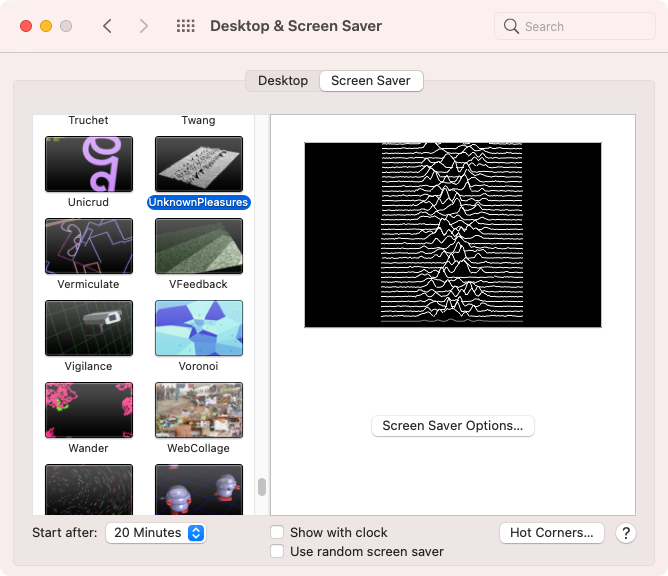
To open the XScreenSaver settings and choose your hack, run xscreensaver-settings from a terminal (in older versions this was xscreensaver-demo). I have spent more time than I care to admit choosing between Sonar — which can display live ping response times across your subnet — and UnknownPleasures, the beautiful pulsar-waveform animation lifted from the Joy Division album artwork. With 270+ hacks available in the current release, you will find something that suits you.
Run xscreensaver-settings to open the XScreenSaver preferences panel

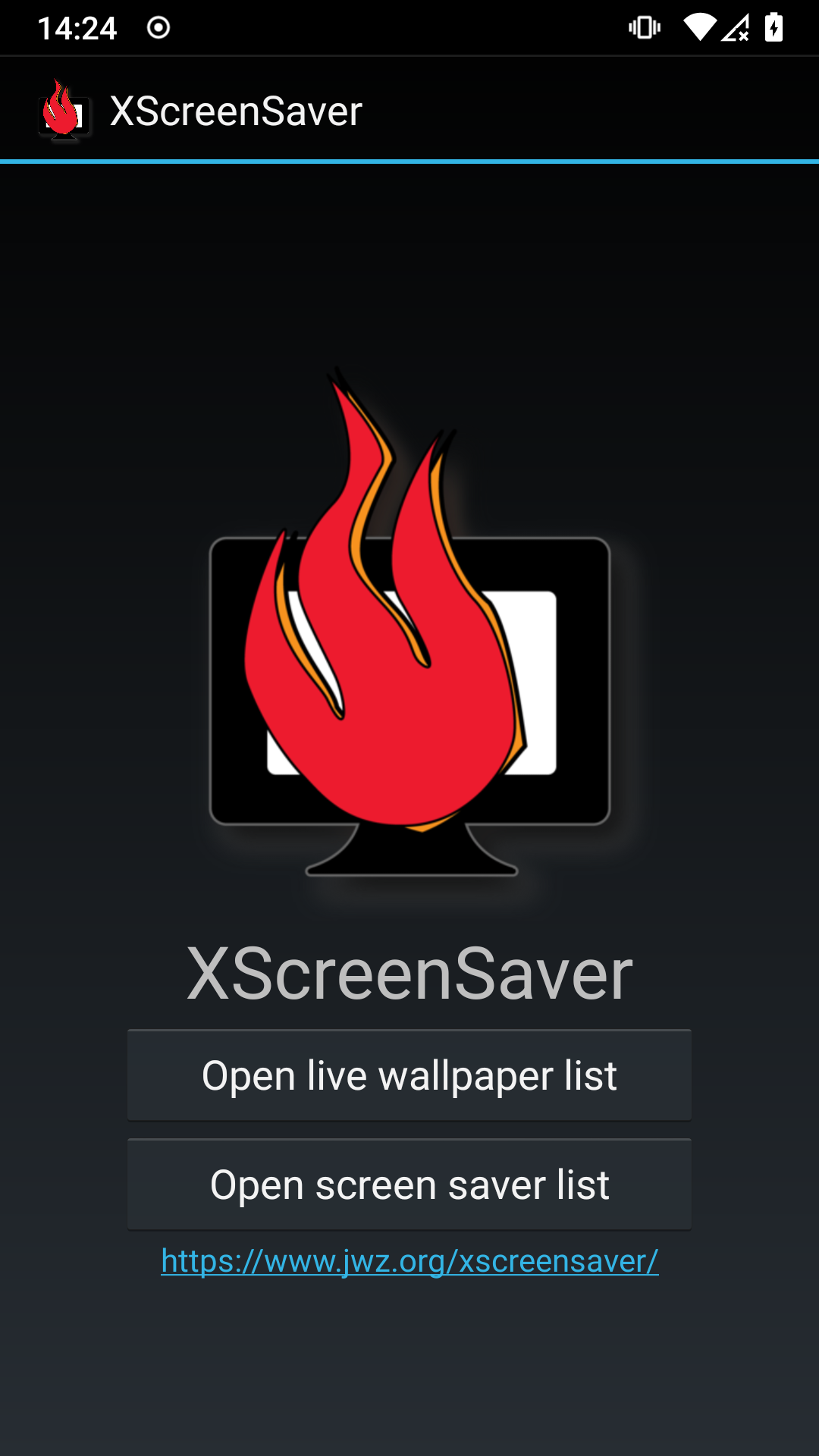
XScreenSaver for Android
XScreenSaver is no longer available on Google Play. The developer's account was deleted after Google insisted on a copy of his driving licence as part of a policy enforcement action — a demand he declined to comply with. The APK for version 6.15 is available directly from the author's website at jwz.org/xscreensaver/download.html. You will need to allow installation from unknown sources in your Android settings.
An unofficial build does appear on F-Droid, but it is not uploaded by the developer and should be treated accordingly. If you want the real thing, go to the source.
XScreenSaver is no longer available on Google Play. Google deleted my account because I refused to give them a copy of my driver's license.
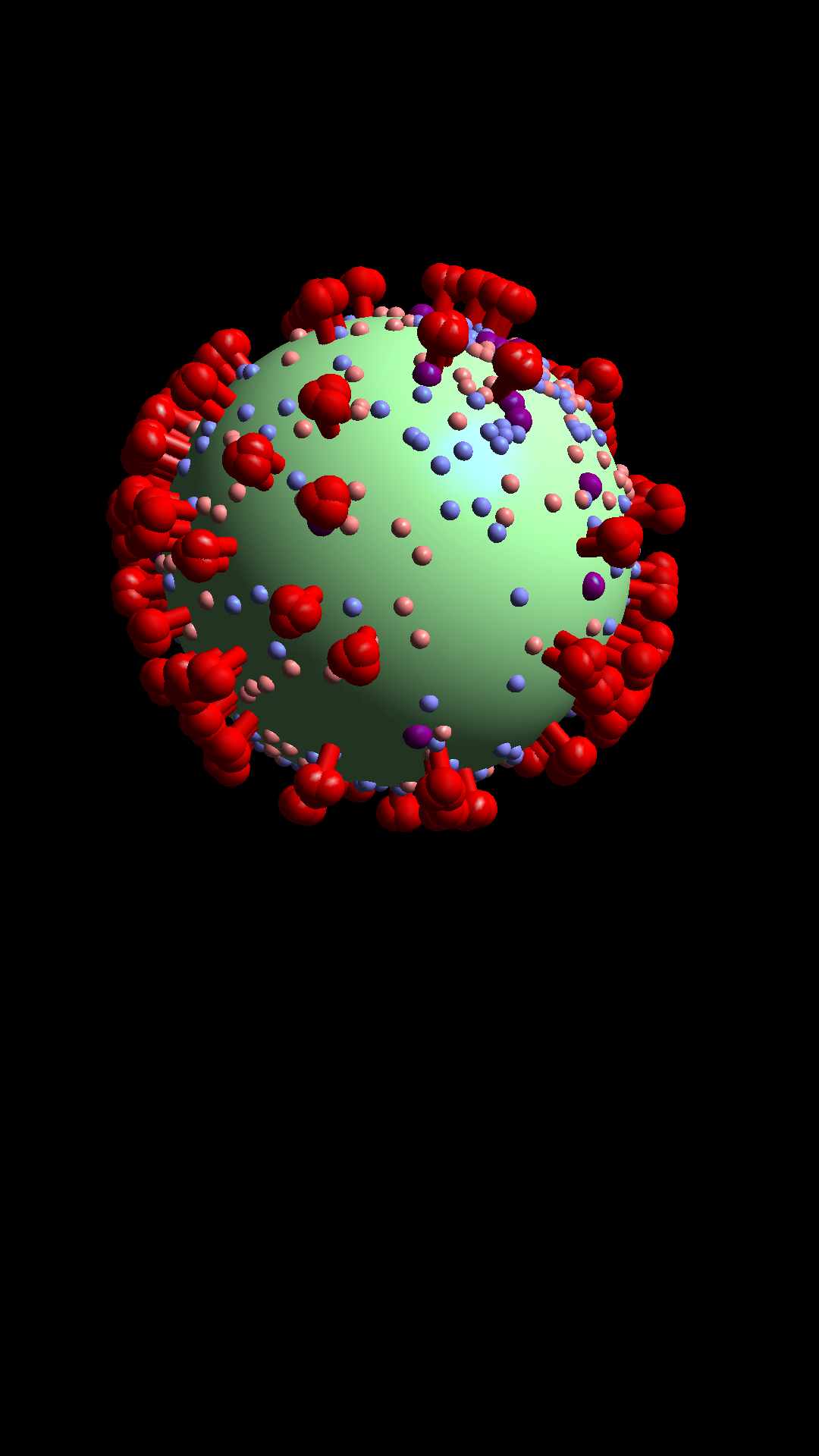
Not every hack works on every Android device, but the majority run well. The Android version functions as a live wallpaper and a daydream, giving you a couple of ways to enjoy it.
XScreenSaver for Android — UnknownPleasures and other hacks


XScreenSaver for iOS
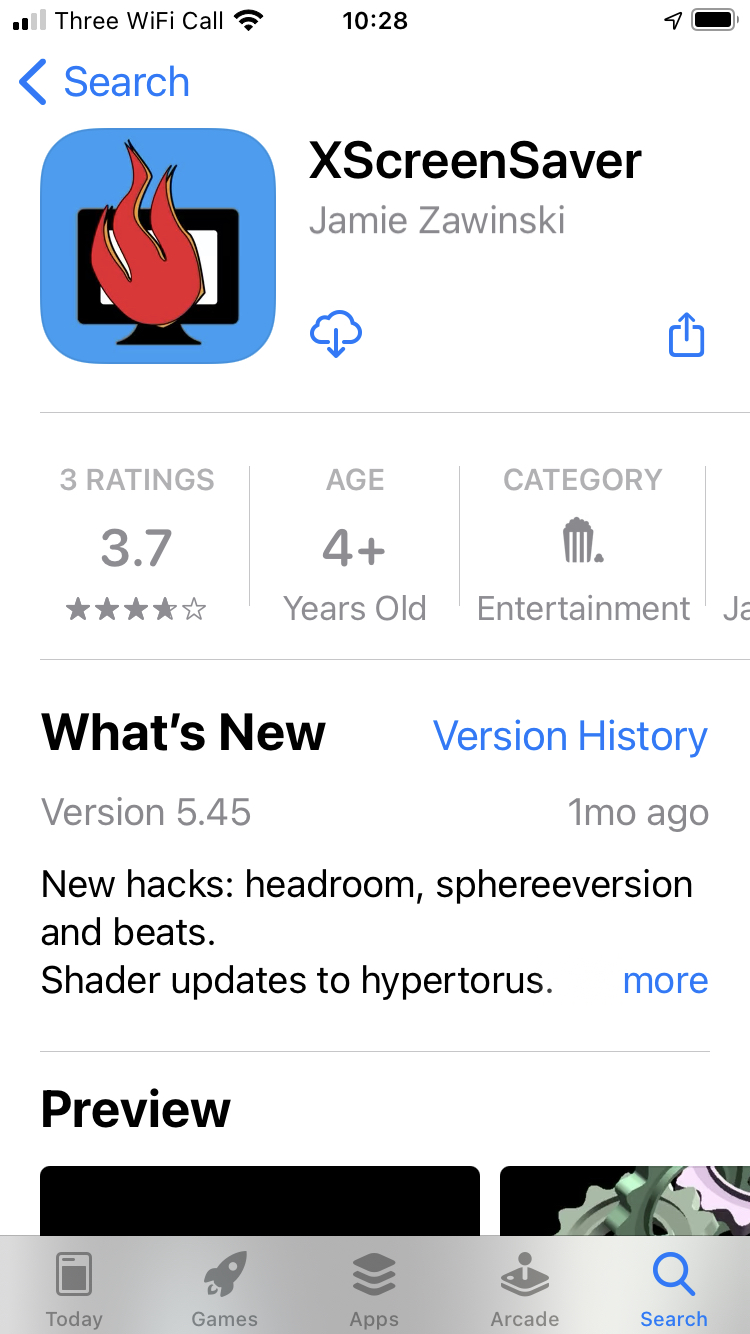
XScreenSaver for iOS remains free on the App Store and is the most friction-free way to get it on any platform. Search for XScreenSaver or use the direct link: XScreenSaver on the App Store. Not every hack is available on iOS, but a substantial selection runs beautifully on modern iPhones and iPads.
XScreenSaver for iOS — UnknownPleasures and Sonar hacks



XScreenSaver for macOS
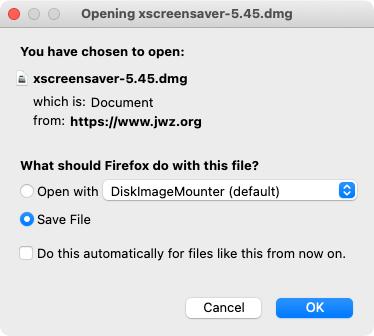
The macOS version is distributed as a DMG from the developer's website — it is not on the Mac App Store and almost certainly never will be. Download xscreensaver-6.15.dmg from jwz.org/xscreensaver/download.html. It requires macOS 10.13 (High Sierra) or newer, so any Mac running a current or recent version of macOS is supported.
Once installed, the hacks integrate directly into macOS System Settings under Screen Saver, exactly as you would expect. With 270+ savers included, the macOS build is the most fully featured version of XScreenSaver on any platform. The native macOS screensaver selection, by contrast, has barely changed in years — XScreenSaver is a significant upgrade.
XScreenSaver for macOS — download and UnknownPleasures hack


A note on source code
XScreenSaver does not have a public source code repository on GitHub or anywhere similar. The developer distributes releases as tar files — the current source is xscreensaver-6.15.tar.gz, available from the download page. If you want to build from source on Linux, that is your starting point. It is the right approach if you need features or fixes ahead of what your distribution packages, but for most people the pre-built options are entirely sufficient.
XScreenSaver is the most popular screensaver collection in the world, and has been in continuous development since 1992.
- Details

In 2026, many developers are still wary of proprietary licenses and telemetry, which is why VSCodium remains a popular choice among open-source enthusiasts who prefer a more transparent coding environment.
While the source code for Visual Studio Code (VSCode) is open-source, the pre-packaged version provided by Microsoft includes telemetry and tracking, prompting many to seek alternatives. Fortunately, you can clone and build the source code under the OSI-approved MIT license. However, for most, the hassle of compiling is unnecessary — enter VSCodium, a community-driven, freely-licensed binary distribution of VSCode that eliminates the telemetry concerns.
Open-source licenses comply with the Open Source Definition, allowing software to be freely used, modified, and shared. For a license to be approved by the Open Source Initiative (OSI), it must pass their rigorous review process.
TL;DR – Compiling the open-source version is a distraction for many. Thankfully, VSCodium simplifies the process, providing a hassle-free alternative that is fully compliant with open-source principles.
{ToC}
Telemetry and Tracking
Despite its efforts to minimize tracking, some telemetry may still be present in VSCodium. Additionally, each extension you install could introduce new tracking vectors. The project's documentation provides guidance on identifying and disabling unwanted telemetry features.
The VSCodium project replaces Microsoft's update services with its own, ensuring that extension updates come from the Open VSX registry rather than the vendor's marketplace.
Proprietary Tools and Extensions
Some proprietary extensions are restricted to Microsoft's version of VSCode, but many open-source alternatives exist. Most extensions, including those for Flutter, are compatible with VSCodium, making it a versatile choice for developers.
Open VSX Registry
The Open VSX Registry serves as a community-driven, fully open platform for publishing VSCode extensions, built on Eclipse Open VSX. This ensures a vendor-neutral, open-source environment that promotes trust and collaborative governance.
Flutter and VSCodium
Installing Flutter Support in VSCodium
Follow the Set up an editor instructions for Visual Studio Code, as they apply directly to VSCodium.
- Start VSCodium.
- Navigate to Command Palette from the View menu.
- Type "install" and select Extensions: Install Extensions from the dropdown.
- Search for "flutter" in the extensions field, select Flutter, and click Install — this will also install the required Dart plugin.
- Open the Command Palette again and select Flutter: Run Flutter Doctor.
- Check the output pane for any issues related to Flutter and resolve them as needed.
- Restart VSCodium and ensure a running simulator or connected device appears in the status bar.
Editing, Running, and Debugging Your Code
The Flutter extension enhances your coding experience with features like syntax highlighting, code completion, and type declaration navigation. The Problems menu item provides a line-by-line analysis of any issues found in your code.
For debugging, you can utilize Flutter DevTools alongside VSCodium's built-in debugging capabilities. Flutter's stateful hot reload is supported, allowing for rapid iteration during development. For more details, check out Using hot reload.
Below are screenshots showcasing VSCodium building and running a Flutter application on macOS, connected to an Android device.
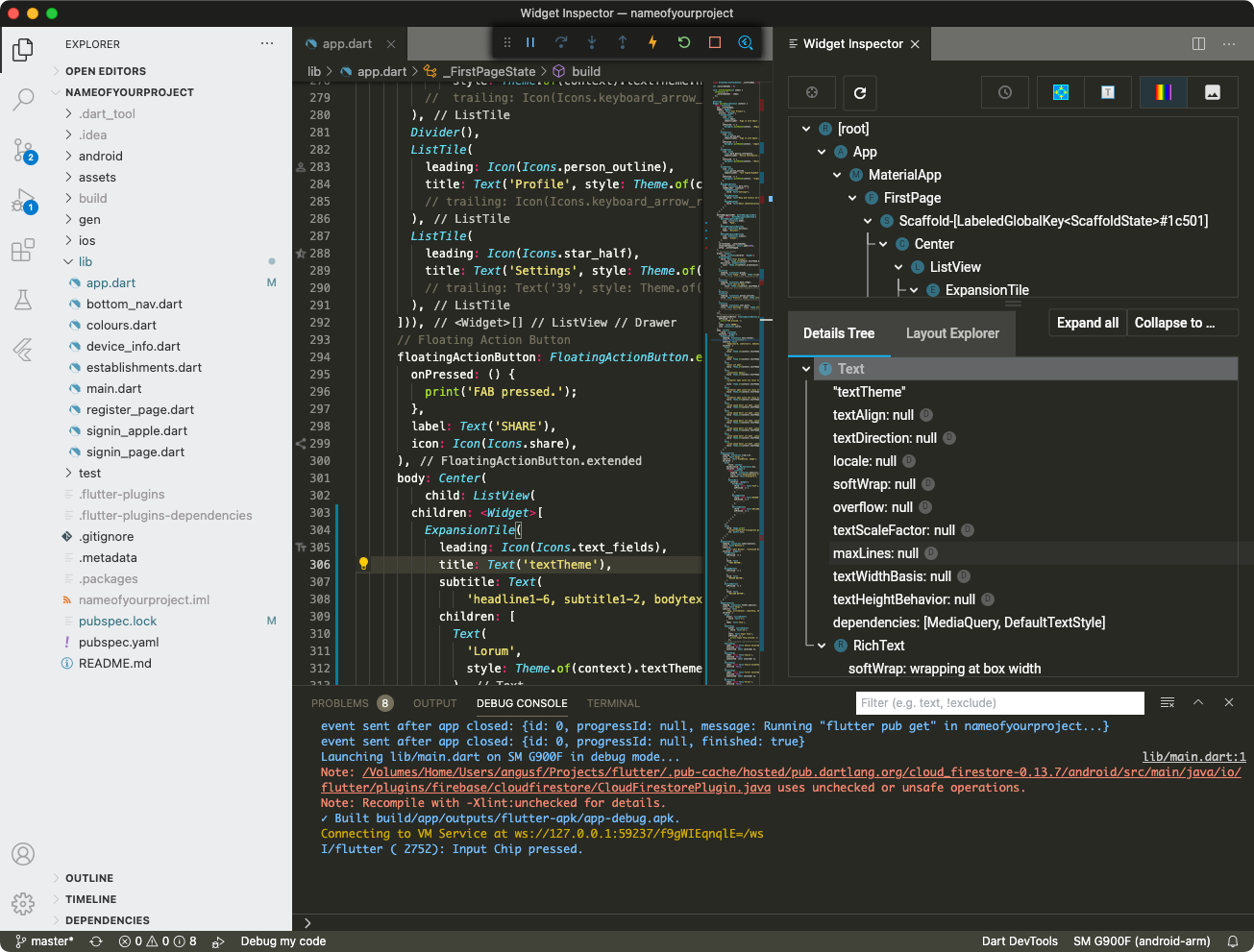 A Flutter project with the Flutter DevTools open
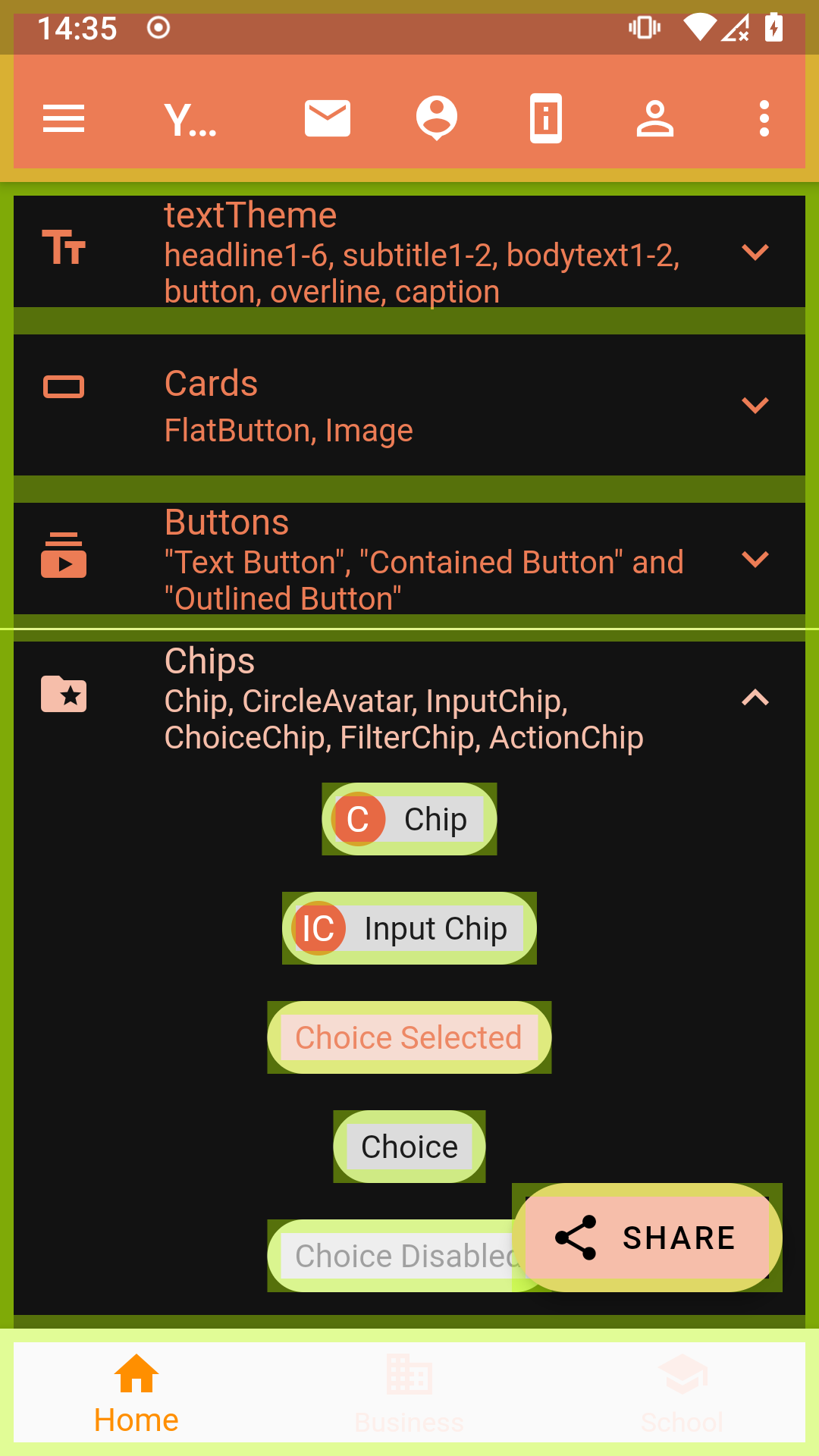 Flutter-based Android app with visible baselines
What's Changed in 2026
In 2026, VSCodium continues to evolve as a robust alternative to Microsoft's proprietary offerings. The project has made strides in improving installation methods across platforms, including support for Windows Package Manager (WinGet) and Snap for Linux. Users on Parrot OS, Debian, Ubuntu, and Arch Linux can easily install VSCodium, with Parrot OS even pre-installing it from their official repositories. This enhances accessibility and encourages wider adoption among developers who prioritize open-source solutions. For macOS the simplest installation is via Homebrew using brew install --cask vscodium.
- Details

A personal list of the computers I've owned or used daily — from an IBM XT in 1985 to an Apple Silicon Mac Studio in 2026. These machines shaped how I work, think, and tinker.
I'm not entirely sure what prompted me to document these, but here we are. Each one meant something at the time — and looking back across nearly four decades of personal computing, the arc is remarkable. The IBM XT Model 286 I bought for home in 1987, when having a computer at home was genuinely unusual. The Mac SE/30, which felt like a rocket ship the day I unboxed it. The Sun Ultra 10 — finally a SPARC workstation that made sense on a desk, after the strange detour that was the Sun386i. The NEXTcube running Lotus Improv, which turned out to be the direct ancestor of macOS as we know it today. I still have the NEXTcube and the Ultra 10, both fully loaded, both sitting quietly doing nothing useful. And then the Mac Studio — Apple Silicon at its most refined, the machine I reach for every single day.
In 2026, most of these machines are firmly museum pieces, though a surprisingly active retro-computing community keeps many of them alive. Prices for well-preserved examples of the SE/30, NEXTcube, and even the original Bondi Blue iMac have risen sharply on the secondhand market over the past few years. What follows is a personal record, not a buyer's guide — though I've added notes on what each machine meant at the time and where it sits in history now.
2026 update
Since this article was first written, the computing landscape has shifted considerably. Apple's transition to its own silicon — begun with the M1 in late 2020 — is now fully mature. The M5 generation powers the current Mac lineup, and the performance-per-watt gains over that first-generation Intel era are extraordinary. My Mac Studio (M1 Ultra) remains genuinely fast for most workloads, though the newer variants have pulled ahead in sustained GPU and neural-engine tasks.
The retro-computing hobby has also grown substantially. Communities around 68k Macs, NeXT hardware, and early Sun workstations are more organised than ever, with active forums, modern replacement capacitor kits, and even FPGA-based recreations of classic chips. If you own an SE/30, the first thing you should do in 2026 is recap the logic board — the original surface-mount capacitors leak and cause catastrophic damage if left unattended.
The NEXTcube has also found a new generation of admirers, partly driven by renewed interest in NeXTSTEP's influence on the web (Tim Berners-Lee wrote the first web browser on a NeXT machine) and partly because running a period-correct Lotus Improv session still feels like visiting the future that never quite happened.

IBM PC XT
Released: 1983
CPU: Intel 8088 @ 4.77 MHz
RAM: 128 KB – 640 KB
The machine that turned the IBM PC from an office curiosity into a platform. The XT added a built-in 10 MB hard drive — a genuine luxury in 1983 — and an expansion bus that third-party manufacturers rushed to fill. It established the architecture that dominated personal computing for the next decade and a half. DOS 2.0 shipped alongside it, introducing a hierarchical file system that most users had no idea how to use. Working examples are plentiful on the secondhand market even now; the 8088 is practically indestructible.

IBM PC XT Model 286
Released: 1986
CPU: Intel 80286 @ 6 MHz
RAM: 640 KB – 1 MB
This is the one I actually bought, in 1987, when home computers were still a novelty and spending that kind of money on one felt faintly reckless. The 286 was already being overshadowed by the AT and the incoming 386 by the time I got it, but it ran Lotus 1-2-3, WordPerfect, and Borland Sidekick without complaint, which was just the job. IBM's decision to keep the XT chassis while slotting in a 286 was pragmatic rather than inspired, but it made the machine affordable. In retrospect, it was the last IBM PC I ever bought.

Apple Mac SE
Released: 1987
CPU: Motorola 68000 @ 8 MHz
RAM: 1 MB – 4 MB
The SE was the first Mac to include an internal hard drive and an expansion slot, making it the point at which the original compact Mac form factor became genuinely practical. The 9-inch monochrome screen was sharp and the all-in-one design was ahead of its time — Apple wouldn't revisit that idea seriously until the iMac a decade later. The SE's FDHD variant added a high-density floppy drive that could read DOS disks, which was more useful than it sounds in a mixed-platform office.

Apple Mac SE/30
Released: 1989
CPU: Motorola 68030 @ 16 MHz
RAM: 1 MB – 128 MB
Widely regarded as the finest compact Mac ever made, and it's hard to argue. The 68030 at 16 MHz with a 68882 FPU, support for up to 128 MB of RAM, and a PDS expansion slot in the same compact body as the original 128K Mac — it was an extraordinary machine for 1989. It ran A/UX, Apple's BSD Unix, which made it genuinely useful as a workstation. In 2026, SE/30s command serious prices among collectors, and the capacitor-leakage problem means finding a fully working, already-recapped example is worth paying a premium for.

Apple Mac IIcx
Released: 1989
CPU: Motorola 68030 @ 16 MHz
RAM: 1 MB – 128 MB
The IIcx was the compact, affordable entry into the Mac II line — three NuBus slots instead of six, a smaller case, but the same 68030 muscle as its larger siblings. It was the machine that made colour Macs accessible to a wider professional audience. Desktop publishing, early digital imaging, and scientific software all ran well on it. The IIcx also introduced a tool-free case design that Apple's industrial design team was rightly proud of. A quiet workhorse that tends to be overlooked next to the SE/30, but deserves its place in the record.

Apple PowerBook 170
Released: 1991
CPU: Motorola 68030 @ 25 MHz
RAM: 2 MB – 8 MB
The PowerBook 170 was the top of the first PowerBook line, and it arrived fully formed in a way that made every competing laptop look like a rough draft. The trackball was centred below the keyboard, the palm rests were generous, and the active-matrix LCD screen was genuinely readable. Apple's laptop design language was set here and barely needed revision for years. The 170 cost a significant sum at launch — roughly the price of a decent used car — but it was the machine that made mobile professional computing real. Every modern laptop owes it something. The colouful official bag drew envious looks from the drab grey Toshiba and Compaq carrying colleagues at the time!

NeXTcube
Released: 1988
CPU: Motorola 68040 @ 25 MHz
RAM: 8 MB – 64 MB
Optional: NeXTdimension Intel i860 board
The direct ancestor of macOS. NeXTSTEP introduced Display PostScript, the Mach microkernel, Objective-C as the primary development language, and an object-oriented application framework that became Cocoa. Tim Berners-Lee wrote the first web browser and server on a NeXTcube at CERN. Lotus Improv — a genuinely revolutionary rethinking of the spreadsheet that Microsoft's Excel eventually absorbed in watered-down form — ran only on NeXT. Mine has the NeXTdimension board for full colour. In 2026 it remains one of the most historically significant personal computers ever made, and one of the most satisfying to actually use.

Sun Ultra 10
Released: 1998
CPU: UltraSPARC IIi @ 300 MHz
RAM: 64 MB – 1 GB
After the eccentric Sun386i — an x86 machine running SunOS that never quite decided what it wanted to be — the Ultra 10 was a relief. A proper SPARC workstation at a price that made sense, running Solaris 7 and later Solaris 8 with genuine stability. It had a Creator3D graphics card in mine, which made OpenGL work feel effortless at the time. Sun's decline and Oracle's eventual acquisition means Solaris is now a niche interest, but the Ultra 10 represents the high-water mark of the Unix workstation era before Linux and commodity x86 hardware swept everything else aside. Still boots. Still runs.

Bondi Blue iMac G3
Released: 1998
CPU: PowerPC G3 @ 233 MHz
RAM: 32 MB – 256 MB
The machine that saved Apple — not an exaggeration. The original Bondi Blue iMac arrived eighteen months after Steve Jobs returned and announced, in effect, that Apple was done apologising for being different. Jony Ive's translucent teal design was unlike anything else on a shop floor in 1998, and it sold in enormous numbers to people who had never bought a Mac before. It dropped the floppy drive (controversial at the time, obviously correct in retrospect) and pushed USB as the sole expansion interface. In 2026, working G3 iMacs are popular display pieces; the CRT screens have aged gracefully and the colours remain genuinely striking.

Mac Pro 2013 ("Trash Can")
Released: 2013
CPU: Intel Xeon E5
RAM: 12 GB – 64 GB
A genuinely bold design that turned out to be a dead end. The cylindrical Mac Pro was thermally constrained by its own elegance — the unified thermal core couldn't accommodate the GPU upgrades that professional users needed, and Apple quietly acknowledged as much. It soldiered on with almost no updates until the modular 2019 Mac Pro arrived. By then, the "trash can" nickname had stuck. As an object it remains beautiful; as a professional tool it was a cautionary tale about prioritising form over expandability. Mine was my main machine for longer than I'd like to admit before the Studio replaced it.

Mac Studio (M1 Ultra, 2022)
Released: 2022
Chip: Apple M1 Ultra
RAM: 64 GB – 128 GB unified memory
The Mac Studio arrived in early 2022 — not 2020 as previously noted — and the M1 Ultra configuration remains one of the most capable desktop computers Apple has ever shipped. The unified memory architecture means the CPU, GPU, and Neural Engine share a single high-bandwidth pool, which changes how the machine handles large media files, machine-learning inference, and complex renders. It's quiet, small, and fast in a way that still feels slightly implausible. By 2026, M3 and M4 Ultra Mac Studios are available with meaningfully more memory bandwidth and improved Neural Engine throughput, but the M1 Ultra is far from obsolete. It's still my daily machine and I have no pressing reason to change that.
Looking back from 2026
Laid out like this, the progression is striking. From 128 KB of RAM on the XT to 128 GB of unified memory on the Mac Studio — a million-fold increase over roughly thirty-five years. From a 4.77 MHz 8088 to an M1 Ultra with dozens of high-performance cores. The raw numbers are almost meaningless without context, but the experience of sitting down at each of these machines and feeling what was possible at that moment is something I remember clearly.
What the list also shows is that the machines I remember most fondly weren't always the fastest or the most powerful of their era. The NEXTcube was never a commercial success. The SE/30 was already being superseded when I was using it heavily. The PowerBook 170 cost a fortune and had a battery life measured in optimism. But each one represented a genuine idea about what a computer could be — and that, more than the specifications, is what makes them worth remembering.
The retro-computing community in 2026 is doing excellent work keeping these machines alive. If you have an old Mac, a NeXT, or a Sun workstation in storage, it's worth investigating what's available in terms of modern recap kits, SSD adapters, and network cards before assuming the machine is beyond saving. Many of them aren't.
I think my favourite might have been the SE/30. It was so expensive and an Apple Mac was an unusual computer for someone at Sun Microsystems to order. I had to get sign off from the head of the UK organisation. I convinced him it could run Unix and he signed the order begrudgingly!
- Details

2FA is mandatory for App Store Connect
You can enable two-step verification or two-factor authentication now for the Apple ID associated with your developer account.
Easy, right? Two-factor authentication for Apple ID is explained clearly by Apple and easy to set up. All you need to do is visit the Security section of your Apple ID account or the Apple ID section of Settings on your iPhone, iPad, or iPod touch.
Not so fast. If you have an important Apple ID then it is crucial that you look after it. Not just for all your purchases of music, books, magazines and apps, not even because of all your iCloud email and Calendars. More importantly for a deveoper it impacts your ability to function as a developer. You rely upon it so completely that your Apple ID is literally the most important thing in your Apple digital life. It is quite possible you won't realise this until it is too late.
- Details

Echo Link Amp. Stream and amplify hi-fi music to your speakers (requires compatible Echo device for Alexa voice control)
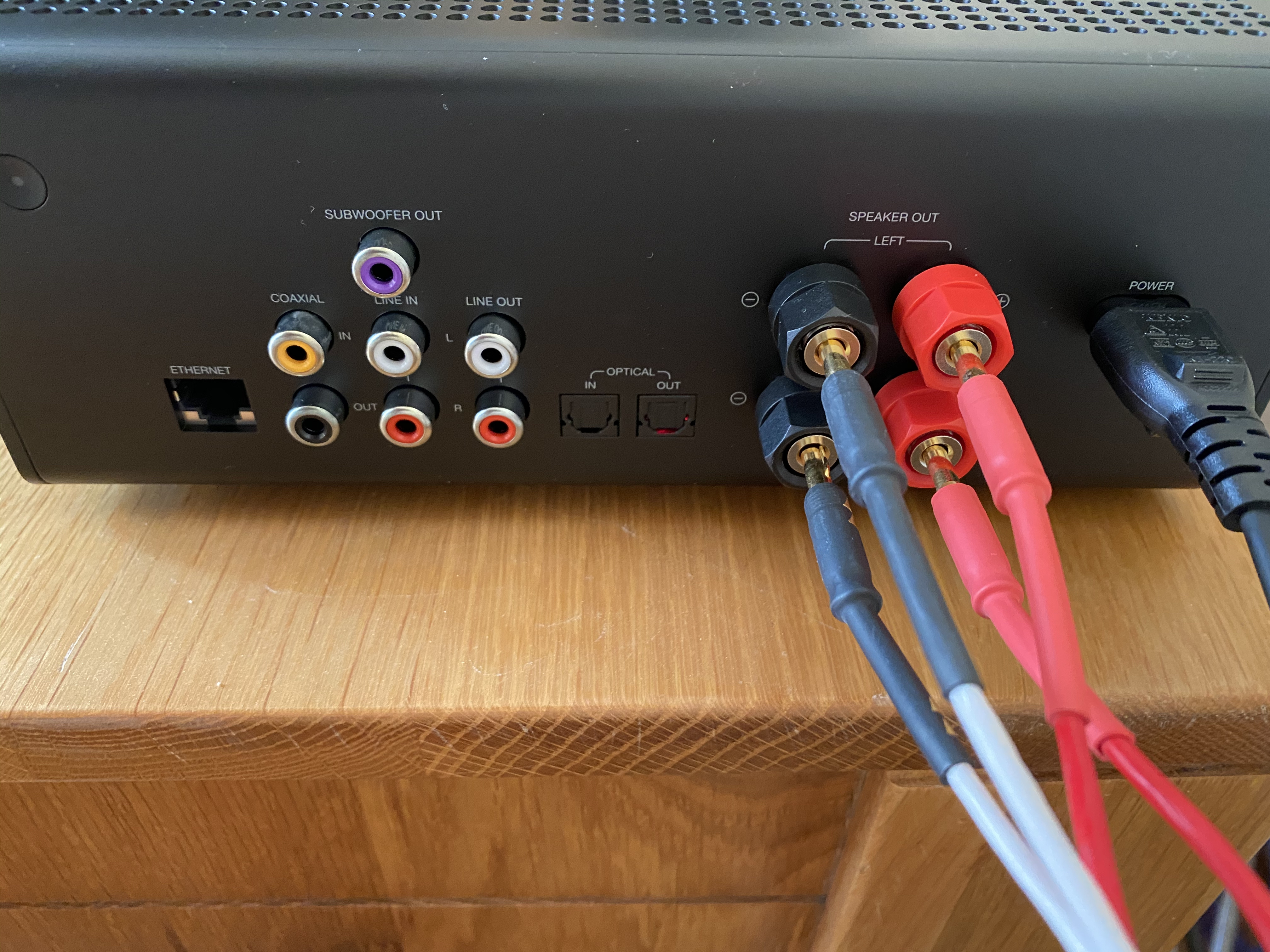
Echo Link Amp enables you to stream and amplify hi-fi music to your existing hi-fi speakers. It has both digital and analogue options for inputs and outputs, which makes it quite a niche product. But if you fit the niche its the perfect bridge between your Hi-fi and your Amazon Echo. I'm one of those people who fits the niche and I love this product and hope it improves with more features and better software over time.
- Details

NHS England released an official NHS contact tracing app for England and Wales in the App Store and Google Play on 23rd September 2020. The app was being tested on the Isle of Wight and a London borough for several months. It is not the same technology as was already spaffed in the £10m car crash that was the original app. But it is the same Government and team of advisors. This is a far better app.
NHS Scotland released their Protect.Scot app for Scotland on the 11th September 2020. This app was based on open source code originally developed on behalf of the Government of the Republic of Ireland and further developed on behalf of the Government of Northern Ireland. It cost less than a tenth of the England and Wales app to develop and is also the basis for apps for Jersey and Gibraltar.
The app for England is completely completely different to the others although they all use Apple/Google COVID-19 exposure notifications system, and there is a shared notification technology because of that. The differences are in the user experience and the booking of tests so, if in the UK you should use the one relevant to the PostCode you live in.
Apple and Google are only allowing approved local public health authorities to publish such apps such is the sensitivity of the data required.
TL:DR Both apps are good Scotland app has a far more reassuring onboarding process and draws you in to the idea that you are helping yourself and others. Both properly respect data privacy issues regarding the exposure notification information although what happens to venue check-in and test information in the England app is a little less clear to me in terms of data privacy. These apps could be a key pillar of the track, trace, isolate strategy that we still need. I'd recommend installing them unless certain special circumstances affect you.
Note This article was originally published on my LinkedIn.
- Details
