
Multizone | All our technotes
If we've published it, you can find it here.

(SM G900F)
Using a custom ROM from LineageOS, you can install Android 11 on a Samsung Galaxy S5 from 2014! You have to use rotten cryptic tools to install a custom recovery partition on the device before you can install Lineage OS on it. This isn't too difficult provided you aren't afraid of the command line. You install Lineage OS and then Open Google Apps should you want them before rebooting and - voila it works perfectly as far as I can tell - the Android build has none of the Samsung crapware - either the built in obsolescence in these devices is staggering, or the S5 was supremely over specified at the time!
The Samsung Galaxy S5 is a discontinued Android-based smartphone with 4G LTE which was launched at Mobile World Congress in Barcelona, Spain, in 2014 and generally available in April 2014
- Details

I suppose the number one download for brew is wget which is missing from macOS probably due to its GPL licence which has terms Apple might prefer to avoid bundling directly into macOS.
WGET
wget is a command-line tool used to download files from the internet. It supports HTTP, HTTPS, and FTP protocols.
Key Features:
- Non-Interactive: Works in the background without needing user interaction, making it ideal for scripts or automation.
- Recursive Downloading: Can mirror entire websites by downloading pages, images, and other linked files.
- Resume Support: Can continue interrupted downloads.
- Flexible Options: Supports proxies, authentication, and rate limiting.
TL:DR – brew install wget
- Details

If you find yourself looking for applications optimised for Macs with Apple Silicon, you're not alone. With the transition to Apple’s M series of silicon chips (M1, M2, M3 and M4) users are on the lookout for software that can fully exploit the capabilities of these machines. This article is a guide you through a curated list of the best apps, spanning various categories such as creativity, productivity, development, essential tools, and gaming. Keep reading to discover how you can elevate your Mac experience.
In this overview, I will showcase not just popular applications but also those with specific appeal to distinct user bases, ensuring that whether you are a writer, designer, developer, or simply looking to have some fun, there’s something for everyone. For further exploration of Apple’s native app ecosystem, you may refer to the official Apple App Store.
TL:DR – The transition to Apple Silicon has opened a plethora of possibilities for Mac users. In this article, we discuss top apps that leverage the full potential of Apple's M1, M2, M3 and M4 processors, neatly divided into various user-friendly categories. Explore creative suites, productivity enhancers, development tools, essential apps, and more to ensure your Mac experience is as seamless and powerful as possible.
- Details
Read more: Maximum Mac Performance: The Best Apps for Apple Silicon

Sublime Text is cross platform
Sublime Text is a proprietary text and code editor for macOS, Windows and Linux (even ChromeOS), which is very popular among developers due to a simple, fast and distraction free interface, an ability to open all the files in a folder, support for third party plugins through a package control system, extensive language syntax highlighting, and a clickable minimap view of an entire file.
Version 4 is downloadable from the makers website, Sublime HQ. There are countless changes since Sublime Text 3. The license key now includes three years of updates, rather than being tied to a specific version. This is a good change, to encourage people to keep up to date. The licence still remains valid after this time, with the last build over the three year period continuing to work. Sublime Text has always had a generous evaluation mode with a periodic nag to purchase a licence. It does not have reduced functionality for evaluation. The licence works on all platforms.
TL:DR – The competition for editors on macOS is between Sublime and BBEdit. If you need a cross platform editor Sublime wins. For MacOS only with a swiss army knife set of tools for web publishing I think BBEdit is a better choice.
- Details
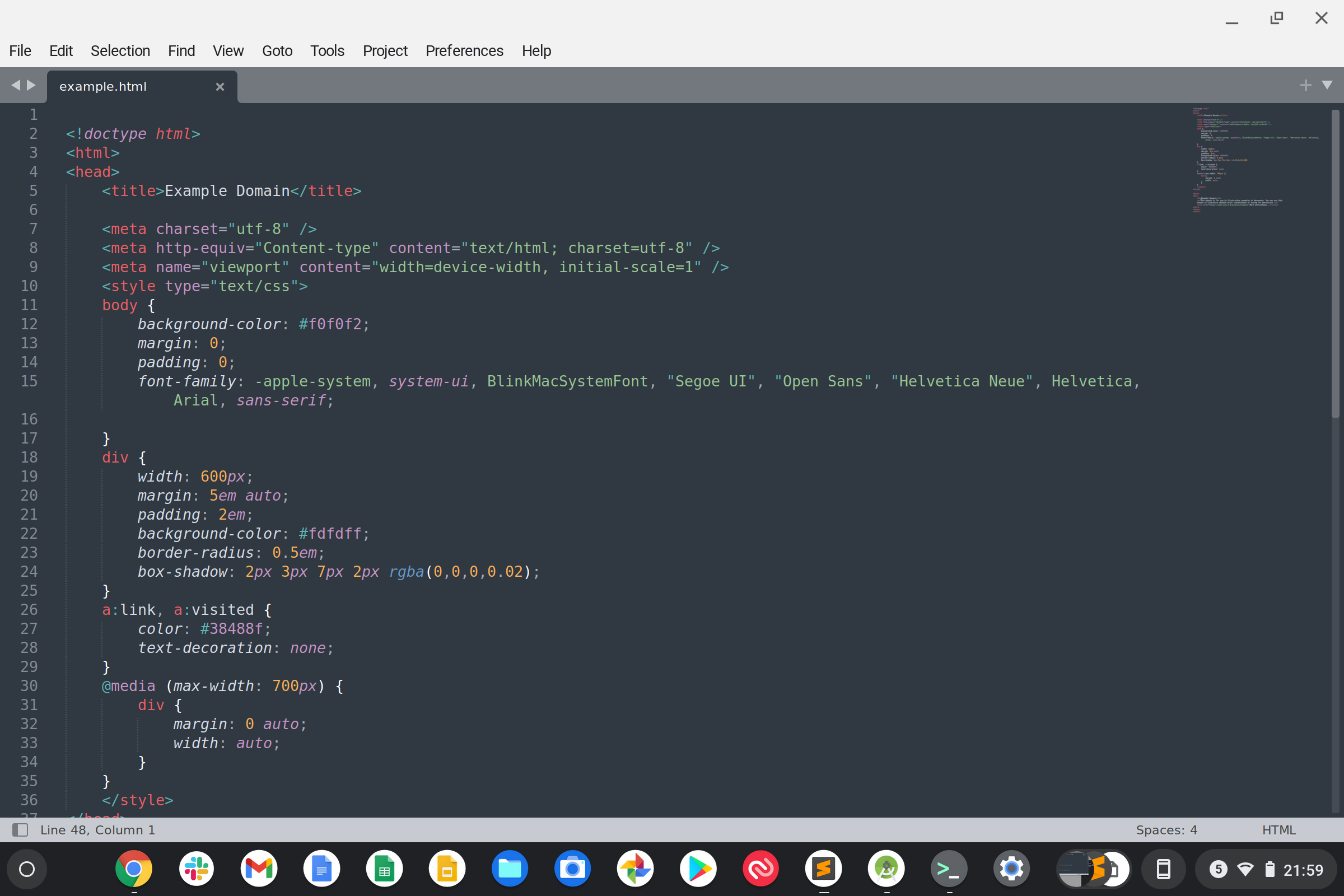
You can install the Linux version on ChromeOS
Sublime Text is a proprietary text and code editor which is very popular among developers due to a simple, fast and distraction free interface, an ability to open all the files in a folder, support for third party plugins through a package control system, extensive language syntax highlighting, and a clickable minimap view of an entire file. Sublime Text runs on macOS, Linux, and Windows. Sublime Text is one of the best text editors around. Its licence keys can be shared across platforms. If you use lots of different operating systems it is beneficial to have the same editor.
Before you start!
Before you start, you'll need to ensure you have a Linux capable Chromebook. Most are! In Settings Type 'Linux' and if its there you are all set. If not, well you can try updating your Chromebook, and if it is still not there its time to get a new Chromebook.
TL:DR — Just take me to the link Sublime Text download page.
- Details
Using an SSH key, you can connect and authenticate to remote git servers without supplying your username and personal access token at each visit. Inevitably, you'll end up using more than one provider, for example for public projects and for internal private one, or for a particular client who requires a particular Git repository provider be used. SSh keys are more than just a convenient reduction in admin. They are essential in a devops environment where scripts and hooks will be working with code and multiple accounts and servers.
It is surprisingly easy to set up SSH access to Git repositories, but there are important things to think through which means you need to think about what you are doing. Most providers ofhave good instructions, and you could do no better than to start by reading one, such as this page Connecting to GitHub with SSH. The principles will be the same whatever the Git repository hosting provider.
TL:DR — SSH access to multiple Git repositories is easy to set up, convenient and secure but be careful not to accidentally overwrite other existing keys.
- Details
Read more: Connecting to multiple Git repository providers with SSH

rsync is a file transfer program for Unix systems which has been around for decades. rsync can update whole directory trees and filesystems, can optionally preserves symbolic links, hard links, file ownership, permissions, devices and times. rsync requires no special privileges to install and can use rsh, ssh or direct sockets as the transport. Sounds ideal, but if you look at the rsync examples there is clearly quite a learning curve. This can be alleviated using grsync which provides a utilitarian but very comprehensive graphical user interface to rsync.
TL:DR — Grsync is an active project, built with GTK, which runs well on Ubuntu 21.04. It builds upon rsync which is part of the Ubuntu Linux distribution. It makes rsync easier to use for ad hoc tasks. It is licenced under the GNU General Public Licence. It is much easier to use than the rsync command line. It uses rsync of course and you can see the output from rsync if you wish.
- Details
