
Multizone | All our technotes
If we've published it, you can find it here.

Known for its microblogging format, Twitter once offered an open forum for diverse voices, real-time news, and global conversations with moderation for excess through an active team fighting disinformation and responding to content violations. However, the platform's evolution into "X" represents a significant departure from its origins. I advocated that Twitter had the potential to require regulation in 2009 when it was a company with just 35 people, but now that it is a worldwide influence on peoples behaviour it seems to me that the genie has left the bottle and the site is now a clear and present danger to our society.
Unplugging from Twitter/X has been something I've been thinking hard about for some time, so I set about removing myself from Twitter/X. Heres how I did it. It didn't take long and it protects the account name from spammers taking over. End of line for me is about me moving off the platform I loved.
TL:DR – This article explores the reasons why leaving Twitter/X may be the right decision now, and how to go about it effectively by mothballing a twitter account. Unfollowing all. Setting to protected. Adjusting settings to limit use for AI harvesting of data, deleting profile pic and background, updating profile to say bye, deleting third party products permissions to access my account and sending a final message.
- Details

Ever wished you could transcribe the text of an audio file easily just from the command line, without heath robinson playback and dictation software? Its easy to do now from the command line and only takes a few minutes to set up. Just remember, you're the product and nothing is for free so don't send data that might be confidential to be transcribed.
TL:DR – The whisper tool from openai does the job well, certainly for my needs, in UK English and is easy to install and use. YMMV.
- Details
Read more: Transcribing an audio file on a mac using AI in 2024
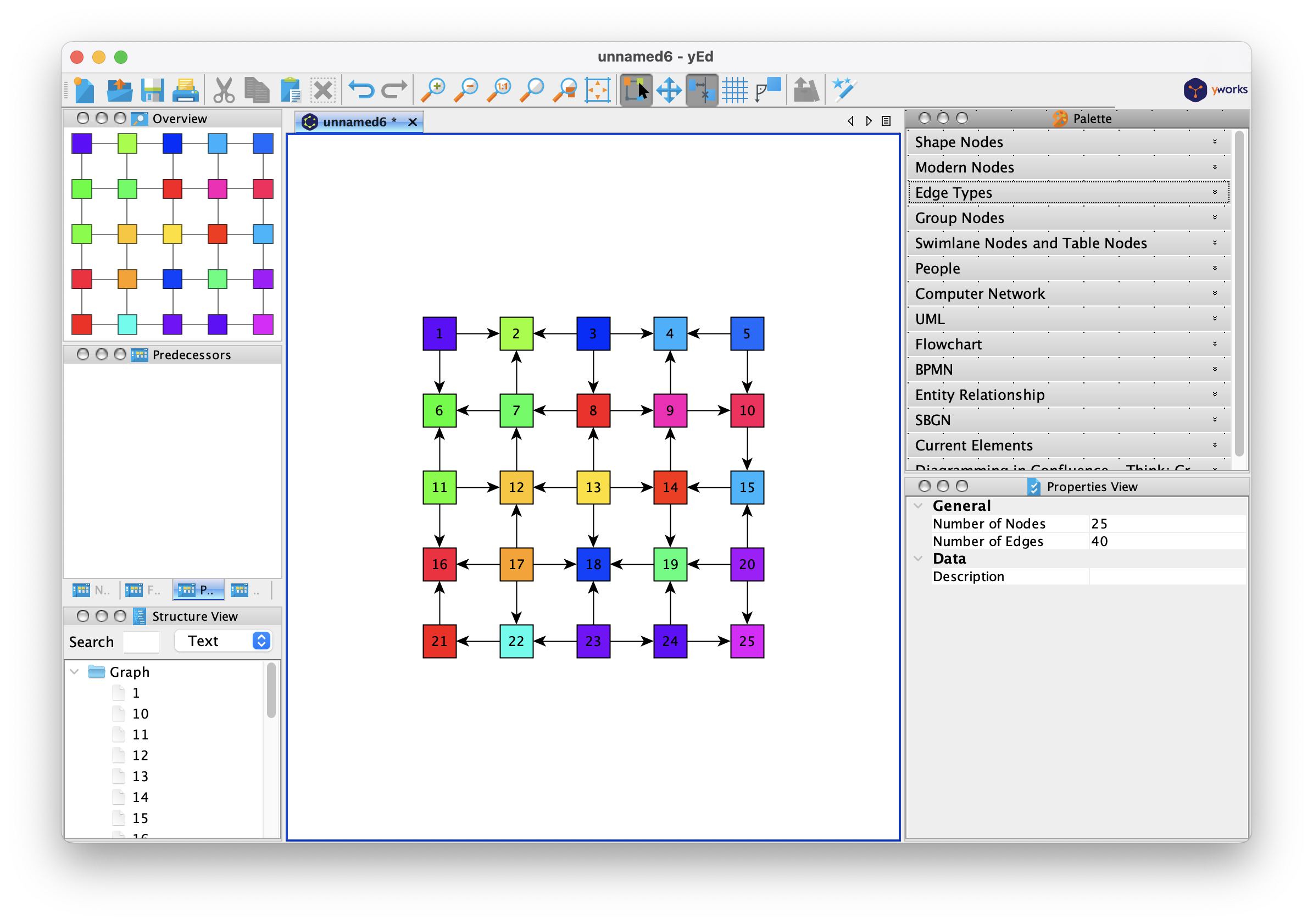
yEd is a hidden treasure. It is an application for making high quality diagrams. There's a level of this you can do in PowerPoint I guess, but if you need that little bit extra for documentation using more serious diagrams then yEd is really worth your time and investigation. yEd is Java based, but includes a suitable runtime for each platform that is supported. For macOS that means its own embedded OpenJDK Java 21 JRE. Don't let that worry you - it just works!
TL:DR – If you need complex custom structured diagrams then yEd is for you! Easy to get started, powerful and free!
- Details

Things to do with a Nokia 9500 Communicator
Q. I just got a Nokia 9500 Communicator and I want to really make some use of its capabilities. What are the top things I must master to get the most out of the device?
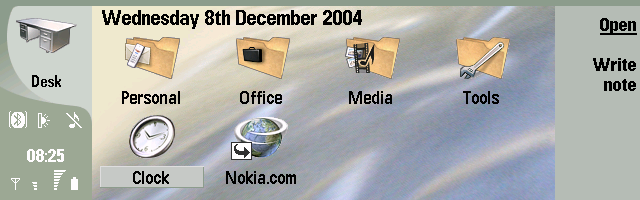
TL;DR – The article that follows was written in 2004 and is interesting mostly for the screenshots of defunct phones and software.
- Details

A clean, powerful web authoring workflow for Mac computers. BBEdit can open and save files directly to your server — securely, encrypted in transit via SSH key, no password required.
BBEdit has been around since the 1990s. Don't let that put you off. For web developers in particular it offers a powerful, focused authoring workflow that has only improved with age. BBEdit is unapologetically aimed at professional HTML and text editing, serving writers and software developers alike. It is fast, uncluttered, and deeply capable. Expected features like syntax highlighting across multiple languages are present as standard, alongside Git integration, SFTP open and save, scripting, markup tools, and AI assistance. BBEdit fully supports Apple silicon Macs and, with version 16, now requires macOS 14 Sonoma or later. I set up an SSH connection to my server using a config file, and BBEdit opens and saves files to that server securely, encrypted in transit via SSH key — no password prompt, no friction.
TL;DR — BBEdit is a mature, proprietary text and code editor for macOS. Version 16 is downloadable from the App Store or directly from Bare Bones Software. It builds on the strong foundations of version 15 — Minimap palette, Cheat Sheets, ChatGPT integration — and adds expanded macOS Shortcuts support and built-in W3C HTML5 syntax checking via the W3C HTML checker service. I came back to BBEdit after years away, largely because of its excellent Apple silicon support, and I have not looked back. It is genuinely good.
Download BBEdit
BBEdit on the App Store Bare Bones Software Store
{ToC}
BBEdit 16 Features
Freemium model
BBEdit is a mature proprietary product with a generous evaluation model. Its full feature set is available free for the first 30 days of use — this applies to new users and existing users evaluating version 16 alike. After the 30-day period, BBEdit continues to run in Free Mode, which includes its powerful core editing capabilities but not its web authoring tools or other exclusive features. Those exclusive features can be re-enabled at any time with a purchased licence. Existing customers of BBEdit 15 or older can upgrade at a discount, and some customers are eligible for a free upgrade depending on their original purchase date. BBEdit's comprehensive help manual is thorough and well written — it answered every question I had.
Main window and Minimap palette
BBEdit's interface is uncluttered and distraction-free. A little time spent in preferences setting up syntax colours pays dividends immediately — the editor becomes fast and comfortable to work in. The Minimap palette gives a bird's-eye view of your document, making navigation in longer files effortless. Once configured, BBEdit gets out of your way and lets you work. It is exactly as described: a professional text and code editor for macOS, and considerably more refined than any earlier version I used.


File management
BBEdit handles file management with the same quiet competence it brings to everything else. Open a folder and you have a project. You can view directory listings and edit files on any mounted file system — local or remote — as well as Zip archives. BBEdit opens, edits, and saves files on remote servers via SFTP; handles gzip (.gz) and bzip2 (.bz2) files; lets you open a single document in multiple windows with changes reflected instantly across all of them; supports multiple documents per window; provides unlimited Undo/Redo; and handles DOS, Unix, Mac, and Unicode line endings and encodings without complaint.
Cheat Sheets
Cheat Sheets provide quick-access references for frequently used text or syntax elements. You can create your own, which makes them genuinely useful rather than just decorative. It is one of those features that sounds minor until you are actually using it daily.


W3C HTML5 syntax checking
BBEdit 16 introduces support for the W3C HTML checker service, which is enabled by default. This means you get genuine HTML5 syntax validation — not a best-guess approximation — without leaving the editor or opening a browser tab. For anyone writing or maintaining HTML by hand, this is a significant quality-of-life improvement. Errors and warnings surface inline, making it easy to catch issues before they reach a live server. It is the kind of feature that quietly raises the floor of your output.
macOS Shortcuts integration
BBEdit 16 expands its macOS Shortcuts support with a broader set of actions, making it straightforward to build automation workflows that incorporate BBEdit alongside other apps. If you already use Shortcuts for repetitive tasks on your Mac, BBEdit now slots into those workflows more naturally than before. Combined with BBEdit's existing AppleScript and shell script support, the automation possibilities are substantial.
BBEdit AI with ChatGPT and beyond
BBEdit integrates AI assistance directly into the editor, so you can have conversations and get suggestions without switching to a browser or pasting between applications. You will need an API key from OpenAI to use the ChatGPT integration. The settings panel is straightforward once you have that key in hand, and the transparency controls — which let you see and adjust the instructions being sent — are a welcome touch. As AI models continue to evolve rapidly, having this integration baked into the editor rather than bolted on as an afterthought is the right approach.


Preview
BBEdit serves web developers well here too. There is extensive built-in preview, including support for the WebKit Inspector for runtime inspection of pages. You can also open any or all of your installed browsers directly from BBEdit to test your work in a single action. It is a genuine timesaver, particularly when you are checking responsive layouts across multiple browsers.


Web development
The web development features in BBEdit are numerous enough that listing them exhaustively would be its own article. As you build experience with the tool, they become second nature. Dragging a file into a document to create a link, closing the current tag with a keystroke, syntax colouring, document navigation, and syntax checking all contribute to a workflow that is faster and less error-prone than working without them. With W3C HTML5 checking now built in as of version 16, the web development story is stronger than ever. This is still only scratching the surface.
Source code version control
BBEdit integrates Git and Subversion access directly. Git can be complex to manage from the command line, but having the ability to add, edit, sync, commit, resolve conflicts, and compare revisions inside the editor removes a lot of that friction. In practice it is transparent — the version control is there when you need it and out of the way when you do not.


BBEdit is a Universal application
BBEdit is a Universal binary, meaning it runs natively on both Apple silicon and Intel Macs. All currently shipping Mac computers use Apple silicon, and BBEdit performs accordingly — fast, responsive, and with no translation overhead. Version 16 requires macOS 14 Sonoma or later, so if you are running a current Mac you are covered.

Get Info for BBEdit confirming it is a Universal app with a native Apple silicon binary.
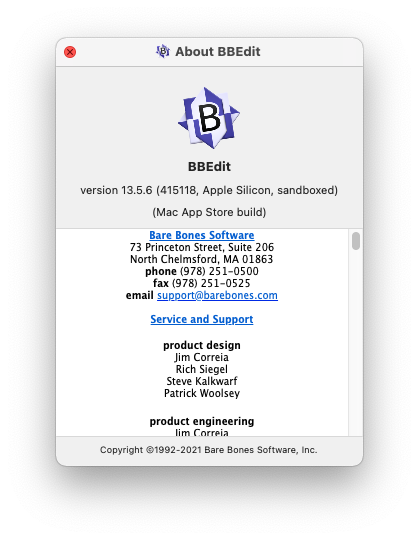
The BBEdit About dialog. Scroll through the credits and you may find yourself listed — a long-standing Easter egg.
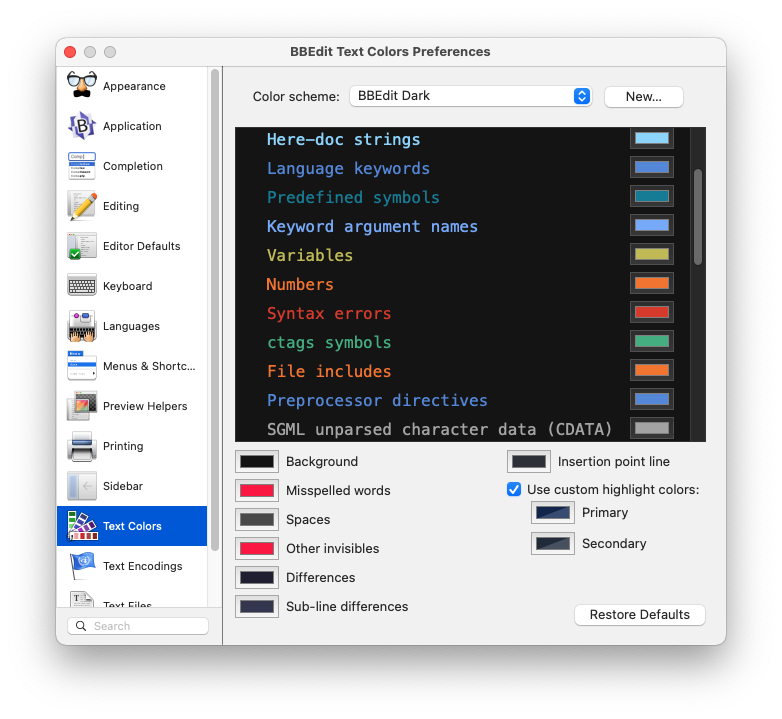
BBEdit Preferences showing the extensive text colour customisation options. There are many other settings beyond what is shown here.
Advanced web authoring over SFTP
One of BBEdit's most practically useful features is its SFTP-based web authoring. I need to edit and save pages on a remote server at a web hosting provider, and BBEdit handles this natively. Choose Open from… / Save to… and check the SFTP box. A file opened via SFTP appears in the Open Recent submenu with an sftp: URL, and a folder location can be bookmarked for easy repeat access. You can make this even better — and more secure — by removing passwords from the equation entirely using SSH key authentication.
You will need a key
Open a terminal and set up SSH preferences for your Mac so that you can authorise your Mac to access your web host. If you have already configured SSH keys, skip ahead to copying the key to your server.
% cd ~/
% mkdir .ssh
% chmod go-rwx .ssh
% cd .ssh
% ssh-keygen -b 1024 -t rsa -f id_rsa -P ""

Generating public/private rsa key pair.
Your identification has been saved in id_rsa.
Your public key has been saved in id_rsa.pub.
The key fingerprint is:
SHA256: xxxxxxxxxxxxxxxxxxxxxxxxxxxxxxxxxxxxxxxxxxxxxxxx
The key's randomart image is:
+---[RSA 1024]----+
|     Omitted     |
+----[SHA256]-----+
%
Copy the public key to your server and authorise it
You will need to copy the key to your server and authorise it. In cPanel, this is under SSH Access → Import Key. The key you want is the public key, typically named id_rsa.pub.
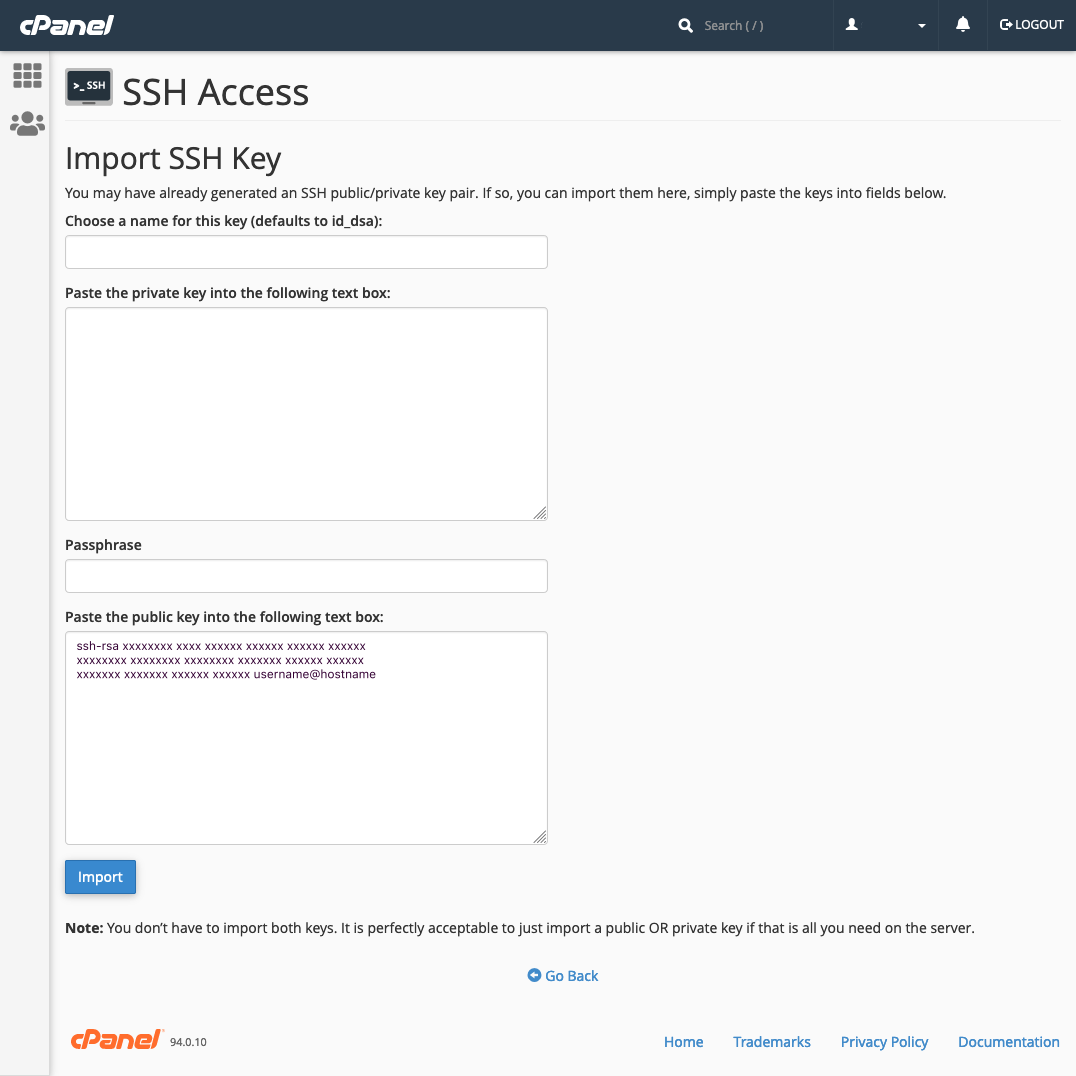
cPanel showing where to paste the public key from your Mac. You only need the public key. Give it a memorable name if you manage more than one server.
Use cPanel to authorise the key once it has been imported, and that part is done.
Tell BBEdit how to use your key with an SSH client config file
One more step at the command line. Create a user-specific SSH config file containing the details BBEdit needs to connect to your server. This config applies only to your user account, not the whole system. If the file already exists, append your new server entry rather than overwriting it. SSH config files have been part of the SSH standard for decades and are often overlooked, but they make a real difference to day-to-day usability.
% cd ~/.ssh
% cat config
Host nickname
     HostName name.of.your.site.com
     User username
IdentityFile ~/.ssh/id_rsa- Details

Link your phone to Windows — and it actually works
Phone Link — Microsoft's app for connecting your Android or iPhone to a Windows PC — has come a long way from its troubled beginnings. Back when it was called 'Your Phone', getting it to function at all was an achievement in itself. By 2026, the picture is genuinely different: the app ships preinstalled on Windows 10 and Windows 11, setup takes minutes, and day-to-day reliability has improved to the point where it earns a place in a real workflow. Microsoft no longer makes phones, so embracing Android and iOS has always been a necessity rather than a choice — and it shows in how seriously Phone Link is now being developed.
Features of Phone Link (all supported devices)
- Make and receive calls from your Bluetooth-capable PC
- Read and reply to text messages from your PC
- Manage your phone's notifications on your PC
- See battery status, connectivity, volume and Do Not Disturb state at a glance
- Control music playback and see now-playing information with cover art
Android-only features
- Access up to 2,000 recent photos from your Android camera roll directly on your PC
- Copy text from photos using built-in OCR
Features that require the integrated Android version provided by a device manufacturer
- Run your favourite mobile apps on your PC
- Drag files between your PC and phone
- Copy and paste content between your PC and phone
TL;DR — Phone Link keeps your PC and phone in sync for calls, messages, notifications, and (on Android) photos. The Play Store version covers most people's needs. Manufacturers including Samsung, HONOR, OPPO, and ASUS ship it as a system app with deeper integration. iPhone support is real and functional, though Android still gets the richer feature set. The app is preinstalled on Windows 10 (May 2019 Update or later) and Windows 11, so there is a good chance it is already sitting on your taskbar.
- Details

All developers must now complete account verification to comply with the updated Play Console requirements policy.
Google introduced verification requirements for Play Console Developer accounts in mid 2023, and have now begun to enforce them for older developer accounts in order to boost trust and transparency on Google Play. Once you've been verified you'll get a notification in your Play Console Inbox.
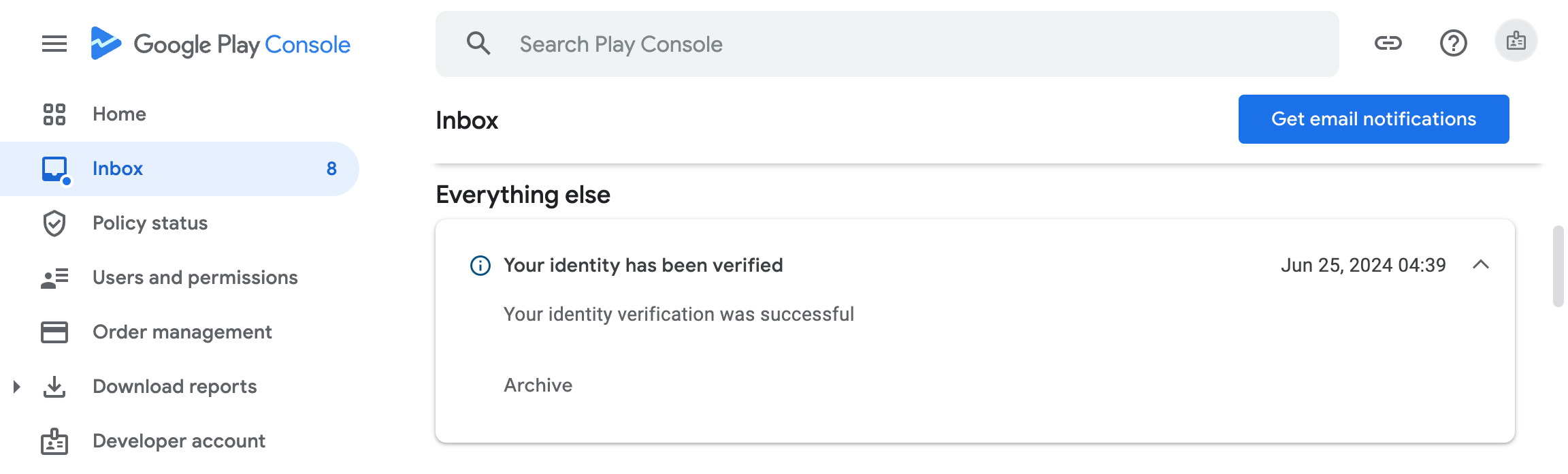
TL:DR – Don't ignore this. If you don't complete verifications by the deadline in your mail from the Play Console Team, your Developer Profile and apps will be removed from Google Play.
- Details
