

Joomla's all-in-one Articles module, introduced in Joomla 5.2 and now firmly established as the standard approach in Joomla 5.x through the current release cycle, gives site builders a single, flexible tool for displaying articles in almost any configuration imaginable.
One module. Latest articles, most-read articles, archived articles, category-filtered articles, tag-filtered articles — all handled from a single interface. If you are still running the legacy article modules that shipped with earlier Joomla versions, 2026 is a good time to retire them.
From Content → Site Modules, create a new module of type Articles and you have access to the full range of options. This article walks through replacing the two most common legacy modules — Articles - Most Read and Articles - Latest — with the new unified module, and covers what has settled in around it since its debut.
TL;DR – Replacing the old Articles - Most Read module with the new Articles module took a few minutes and the result is cleaner, more maintainable, and more capable. The Joomla core team made a smart call consolidating five separate modules into one.
Contents
- Why the consolidated Articles module matters in 2026
- Replacing the Articles - Most Read module
- Legacy module settings at a glance
- New Articles module settings for Most Read
- Replacing the Articles - Latest module
- New Articles module settings for Latest Articles
- Going further: filters, tags, and date ranges
- Migrating your remaining legacy article modules
Why the consolidated Articles module matters in 2026
When the Articles module landed in Joomla 5.2 it quietly made five legacy modules redundant: Articles - Archived, Articles - Category, Articles - Latest, Articles - Most Read, and Articles - Newsflash. Those modules are still present for backwards compatibility, but the Joomla project has signalled that consolidation is the direction of travel and new sites should use the unified module from the start.
By the time Joomla 5.x reached its current maintenance releases, the Articles module had accumulated a number of refinements based on community feedback: improved tag filtering, more granular date-range controls, and better compatibility with third-party templates built on Bootstrap 5. If you set the module up during the 5.2 beta period and haven't revisited its settings since, it is worth a fresh look — the options panel is more capable than it was at launch.
The broader significance is architectural. Fewer modules means less PHP to maintain, fewer upgrade surface areas, and a leaner core. For developers extending Joomla or building custom templates, the single-module approach also means a single override to write rather than five.
Replacing the Articles - Most Read module
The Articles - Most Read module has been a fixture of Joomla sites for well over a decade. Its replacement with the new Articles module is the most straightforward migration you will make.
Legacy module settings at a glance
A typical Articles - Most Read configuration looked like this:
| Tab | Parameter | Setting |
|---|---|---|
| Module | Title | Most Read Posts |
| Category | Articles | |
| Featured Articles | Show | |
| Date Filtering | Off | |
| Advanced | Header Class | h3 card-header |
| Module Style | card |


New Articles module settings for Most Read
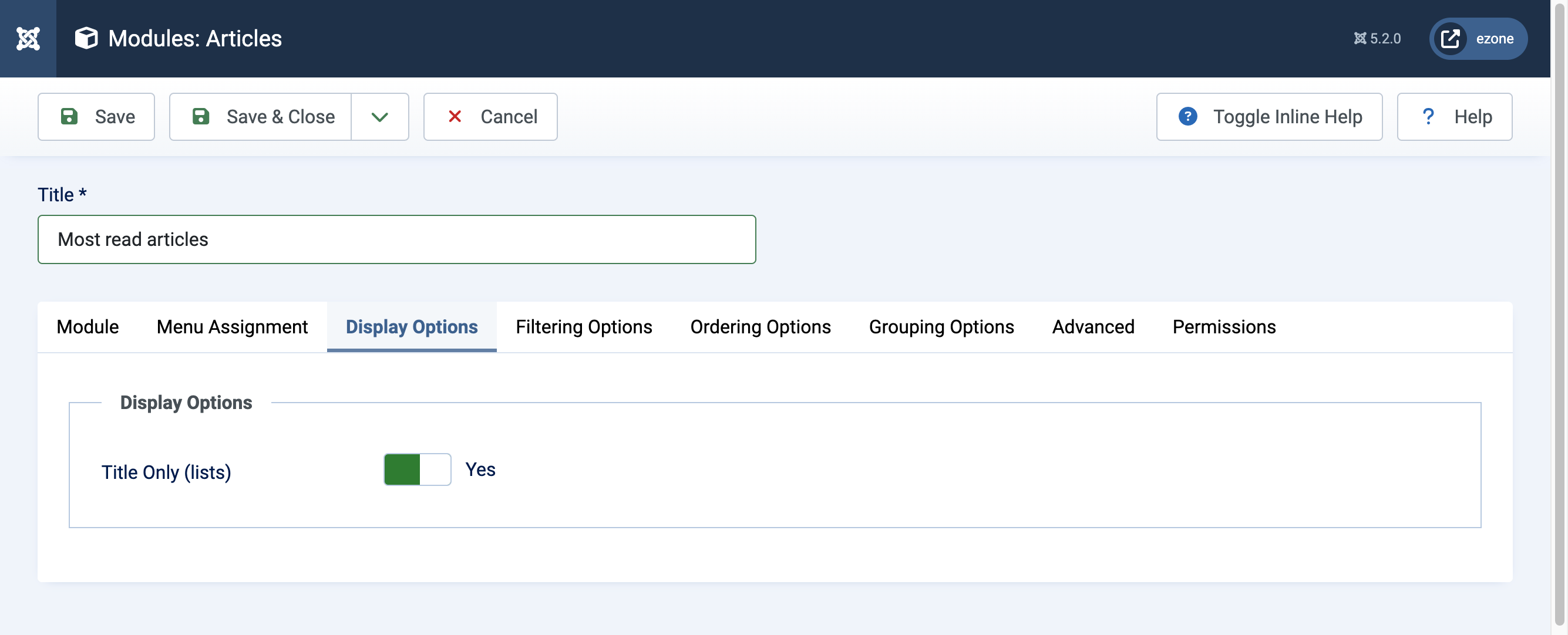
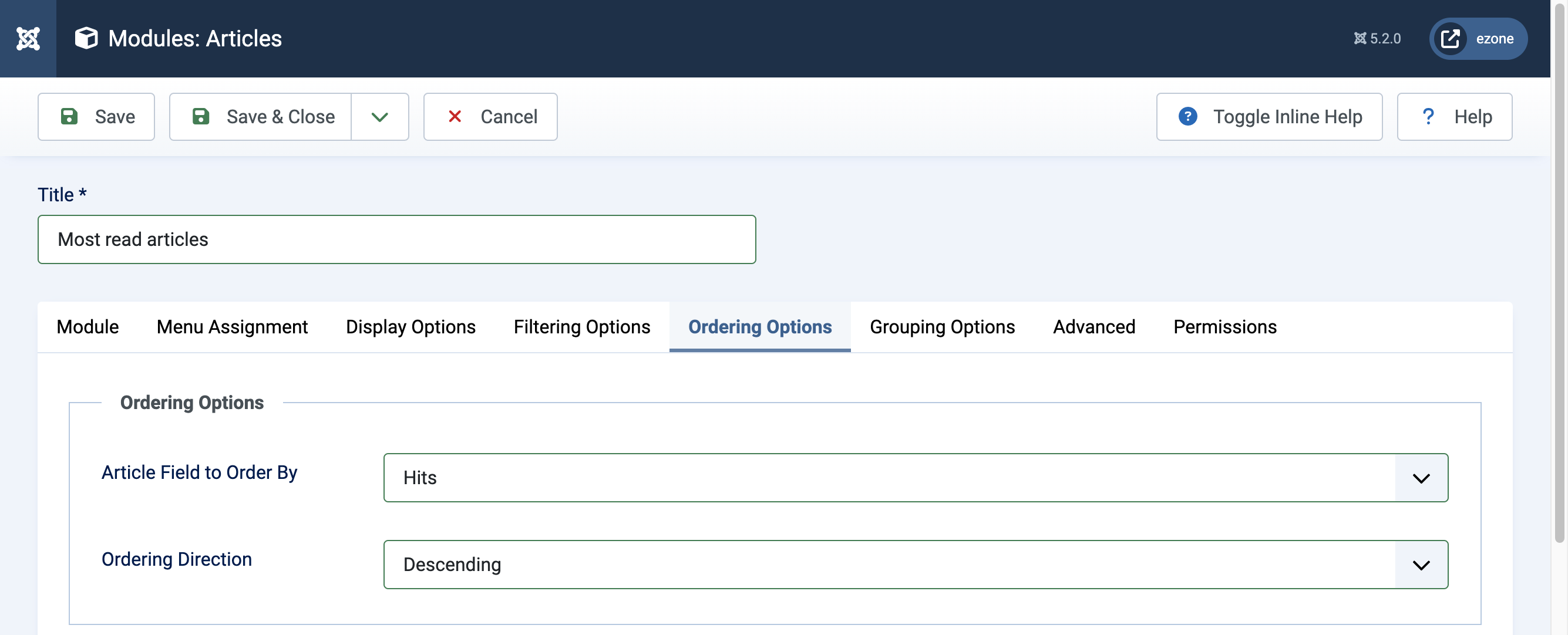
The equivalent configuration in the new module is concise. Ordering by hits in descending order is all that is needed to replicate the old behaviour — and you gain access to category filters, tag filters, and date ranges that the legacy module never offered.
| Tab | Parameter | Setting |
|---|---|---|
| Module | Title | Most read articles |
| Display Options | Title Only (lists) | Yes |
| Ordering Options | Article Field to Order By | Hits |
| Ordering Options | Ordering Direction | Descending |

To create the module from scratch:
- In the Administrator, go to Content → Site Modules
- Select New from the toolbar
- Choose Articles from the module type list
- Set your ordering, display, and filtering options as needed


Replacing the Articles - Latest module
The Articles - Latest module is equally straightforward to migrate. The new module handles the same job with an ordering direction change and a date field selection.
New Articles module settings for Latest Articles
| Tab | Parameter | Setting |
|---|---|---|
| Module | Title | Recent articles |
| Category | Articles | |
| Display Options | Title Only | Yes |
| Ordering Options | Article Field to Order By | Start Publishing Date |
| Ordering Options | Ordering Direction | Descending |
The result is a clean, chronological list of your most recently published articles — identical in output to the legacy module, but now managed from a single, consistent interface alongside every other article module on your site.
Going further: filters, tags, and date ranges
These examples are deliberately minimal — they show the floor, not the ceiling. The Articles module's real power becomes apparent when you combine its options. A sidebar widget showing the five most-read articles from a specific category, published in the last 90 days, excluding featured articles, is a matter of a few dropdown selections rather than a custom module override. Tag filtering in particular has matured since the initial 5.2 release and now supports multiple tag selection with AND/OR logic, which opens up content discovery patterns that previously required third-party extensions.
For sites running multiple content types across many categories, the ability to scope a module precisely — by category, by tag, by date range, by author, by featured status — and then reuse that same module type across the site with different parameters is a genuine quality-of-life improvement for editors and administrators alike.
The goal was never just to reduce the module count. It was to give site builders a composable tool that grows with their content strategy rather than forcing them to reach for an extension the moment their requirements got slightly more complex.
Migrating your remaining legacy article modules
If you have been running a Joomla site for a few years, you likely have a mix of the five legacy modules still active. The migration path for each is the same: create a new Articles module, replicate the relevant settings using the table above as a guide, publish it to the same position, verify the output, then unpublish the old module. There is no automated migration tool, but given how few settings most of these modules carry, the process is quick.
The five legacy modules the new Articles module replaces are:
- Articles - Archived — order by date, filter by archived status
- Articles - Category — filter by one or more categories
- Articles - Latest — order by publishing date, descending
- Articles - Most Read — order by hits, descending
- Articles - Newsflash — use the display options to show introductory text or images in rotation
None of the legacy modules have been removed from Joomla core as of the current release — backward compatibility is taken seriously — but they are no longer the recommended approach for new builds. Treat them as a migration target rather than a starting point, and your site's module stack will be simpler and easier to hand off to whoever manages it next.
