

Don't like the blank screen? XScreenSaver is still the answer in 2026.
Ubuntu has shipped a blank screen as its default screensaver for as long as most of us can remember. I have never warmed to it. When a machine is sitting idle — especially a remote one — I want to see something that tells me it is alive. XScreenSaver has been my answer to that for decades, and in 2026 it remains the best cross-platform screensaver available. It runs on Linux, macOS, iOS, and Android, and the current release is version 6.15.
XScreenSaver has been the de facto standard screensaver for Linux and Unix systems for a long time. It arrived on macOS in 2006, iOS in 2012, and Android in 2014. There is still something quietly satisfying about running the same screensaver across every machine and device you own.
Downloads are available at jwz.org/xscreensaver, on the iOS App Store, and via your Linux package manager — though read the notes below before you reach for apt.
- Ubuntu Linux — Install from the repository, or grab a more current
.debfrom the Debian unstable channel - Android — Download the APK directly from the author's website (no longer on Google Play)
- macOS — Install via the DMG from the developer's website (not on the Mac App Store)
- iOS — Free on the App Store
TL;DR — Let's install them all, via the simplest methods. You can compile from source on Linux and Unix if you need deeper customisation, but for most people the pre-built packages are more than sufficient.
Contents
- Don't like the blank screen? XScreenSaver is still the answer in 2026.
- What's changed in 2026
- Ubuntu Linux — Installing XScreenSaver
- Startup Applications Preferences — Ubuntu
- Run xscreensaver-settings to open the XScreenSaver preferences panel
- XScreenSaver for Android
- XScreenSaver for Android — UnknownPleasures and other hacks
- XScreenSaver for iOS
- XScreenSaver for iOS — UnknownPleasures and Sonar hacks
- XScreenSaver for macOS
- XScreenSaver for macOS — download and UnknownPleasures hack
- A note on source code
What's changed in 2026
A lot has happened since this article was first written. The headline changes worth knowing about before you do anything else:
- Version 6.15 is current. The old article referenced 5.42 from 2018. The project has moved on considerably, celebrating its thirtieth anniversary in 2022
- Wayland support has arrived — with caveats. XScreenSaver 6.11 introduced preliminary Wayland support, so the blanket warning that "XScreenSaver won't work on Wayland" is no longer accurate. That said, Wayland support is still maturing and you may encounter rough edges depending on your compositor and Ubuntu version. X11 sessions remain the most reliable experience.
- Android is no longer on Google Play. The developer's Google Play account was deleted after a dispute in which Google demanded a copy of the developer's driving licence. The APK is available directly from the author's website. An unofficial F-Droid build exists but is not uploaded or endorsed by the developer.
- macOS now includes 270+ savers. The macOS build has grown substantially and integrates cleanly with the system screensaver panel in System Settings.
- No Windows version exists, and none is planned. If you were hoping for that, it is not coming.
Ubuntu Linux — Installing XScreenSaver
For most people, the package manager is the right starting point. Be aware, though, that Ubuntu's default repositories ship an older version of XScreenSaver. If you want version 6.15, your best route on a Debian-based system is the Debian unstable repository, which does carry current .deb packages. Red Hat, Fedora, and CentOS users can find recent builds at rpmfind.net.
For a straightforward Ubuntu install from the standard repositories:
$ sudo apt-get install xscreensaver xscreensaver-data-extra xscreensaver-gl-extraOnce installed, you need to add XScreenSaver to your startup applications so it launches automatically when you log in:
- Click 'Show Applications' in your application dock
- Search for 'Startup Applications Preferences' and open it
- Click Add and enter XScreenSaver in the Name field and xscreensaver -nosplash in the Command field
- Click Add to save the new startup entry
Startup Applications Preferences — Ubuntu


To open the XScreenSaver settings and choose your hack, run xscreensaver-settings from a terminal (in older versions this was xscreensaver-demo). I have spent more time than I care to admit choosing between Sonar — which can display live ping response times across your subnet — and UnknownPleasures, the beautiful pulsar-waveform animation lifted from the Joy Division album artwork. With 270+ hacks available in the current release, you will find something that suits you.
Run xscreensaver-settings to open the XScreenSaver preferences panel

XScreenSaver for Android
XScreenSaver is no longer available on Google Play. The developer's account was deleted after Google insisted on a copy of his driving licence as part of a policy enforcement action — a demand he declined to comply with. The APK for version 6.15 is available directly from the author's website at jwz.org/xscreensaver/download.html. You will need to allow installation from unknown sources in your Android settings.
An unofficial build does appear on F-Droid, but it is not uploaded by the developer and should be treated accordingly. If you want the real thing, go to the source.
XScreenSaver is no longer available on Google Play. Google deleted my account because I refused to give them a copy of my driver's license.
Not every hack works on every Android device, but the majority run well. The Android version functions as a live wallpaper and a daydream, giving you a couple of ways to enjoy it.
XScreenSaver for Android — UnknownPleasures and other hacks



XScreenSaver for iOS
XScreenSaver for iOS remains free on the App Store and is the most friction-free way to get it on any platform. Search for XScreenSaver or use the direct link: XScreenSaver on the App Store. Not every hack is available on iOS, but a substantial selection runs beautifully on modern iPhones and iPads.
XScreenSaver for iOS — UnknownPleasures and Sonar hacks



XScreenSaver for macOS
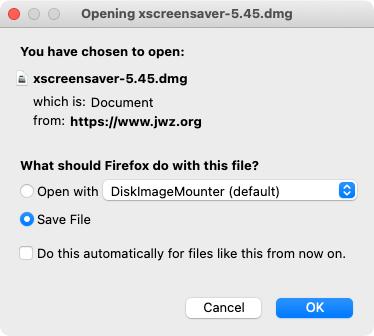
The macOS version is distributed as a DMG from the developer's website — it is not on the Mac App Store and almost certainly never will be. Download xscreensaver-6.15.dmg from jwz.org/xscreensaver/download.html. It requires macOS 10.13 (High Sierra) or newer, so any Mac running a current or recent version of macOS is supported.
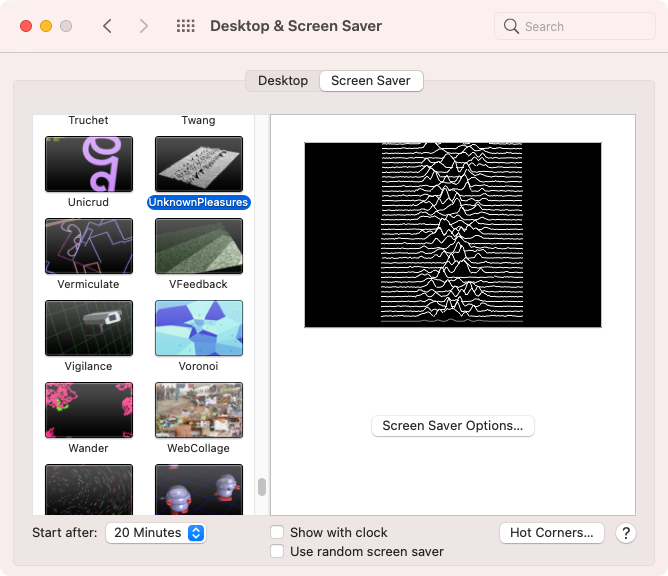
Once installed, the hacks integrate directly into macOS System Settings under Screen Saver, exactly as you would expect. With 270+ savers included, the macOS build is the most fully featured version of XScreenSaver on any platform. The native macOS screensaver selection, by contrast, has barely changed in years — XScreenSaver is a significant upgrade.
XScreenSaver for macOS — download and UnknownPleasures hack


A note on source code
XScreenSaver does not have a public source code repository on GitHub or anywhere similar. The developer distributes releases as tar files — the current source is xscreensaver-6.15.tar.gz, available from the download page. If you want to build from source on Linux, that is your starting point. It is the right approach if you need features or fixes ahead of what your distribution packages, but for most people the pre-built options are entirely sufficient.
XScreenSaver is the most popular screensaver collection in the world, and has been in continuous development since 1992.
