

Chromebooks have evolved considerably, and so has the landscape around them. In 2026, Google has announced an entirely new category of premium Android-based laptops called Googlebooks, leaving the Pixelbook line firmly in the past. The Pixelbook range is now fully discontinued and end-of-life, but second-hand units remain genuinely capable development machines — if you know which ones to buy. This article, originally written when these devices were current, has been refreshed to reflect where things stand today.
TL:DR – The original Pixelbook and Pixelbook Go remain the best Chromebooks ever made for developers. Cheap Chromebooks are still awful. These are not. But go in with open eyes: both are out of active support, and the broader ChromeOS story is shifting in a significant direction. Read on for the full picture.
Contents
What's changed in 2026
The biggest news in the Google laptop space arrived at The Android Show I/O Edition in May 2026, when Google announced Googlebook — a new category of premium Android-based laptops deeply integrated with Gemini AI. These are not Chromebooks. They run Android 17 and above, feature Gemini AI tools including Magic Pointer and on-device widget creation, and let you cast apps directly from your Android phone to the laptop without installing anything separately. The first Googlebooks are expected to arrive in autumn 2026.
Importantly, Google has been clear that Chromebooks are not going away. John Maletis, Google VP for ChromeOS, confirmed in May 2026 that new Chromebooks and Chromebook Plus devices remain in the pipeline, with ChromeOS continuing to serve education and budget markets. But the premium developer-focused end of the market is clearly where Googlebook is aimed.
Google absolutely intends to continue investing in Chromebook experiences.
For developers specifically, Googlebook is the one to watch. It promises a premium build, Gemini AI integration, and a tighter bond with the Android ecosystem than any Chromebook has managed. However, as of mid-2026 no units are shipping yet, pricing has not been confirmed, and there is no hands-on evidence of how well Android Studio or Linux tooling will work on the platform. Until that picture is clearer, the second-hand Pixelbook market remains the pragmatic choice for a developer who wants a capable, portable ChromeOS machine today at a reasonable price.
One further note on software support: Chromebooks released in 2021 and beyond now receive 10 years of automatic software updates — a significant improvement on the older, device-specific end-of-life dates that plagued earlier hardware. The original Pixelbook and Pixelbook Go predate this policy and are both past their update end dates. Factor that into your decision.
Not all Chromebooks are created equal
Specifications matter enormously here. The first Chromebook I owned was an Asus Flip (C302C, Core M3, 4GB RAM, 64GB storage). It was beautifully engineered and handled Google Play for Android apps well enough, but it couldn't run the Linux subsystem at all — which meant no Android Studio, and ultimately it was no use as a development machine.
Chromebooks excel at Google Workspace: Gmail, Docs, Sheets, Meet. But development demands Linux support so you can install Android Studio, and that in turn demands meaningful RAM and storage. 4GB RAM is not enough. 64GB of storage is not enough. The lesson is simple: buy the highest specification you can find, or don't bother.
Google ChromeOS devices — the Pixelbook range
Google's own Chromebooks were clearly built with more demanding users in mind. The Pixelbook line is now fully discontinued, but second-hand and refurbished units still circulate. There are two models worth considering: the original Pixelbook and the Pixelbook Go. Both are past their ChromeOS software support end dates, which is a genuine limitation — weigh it carefully before buying.
Google Pixelbook Go
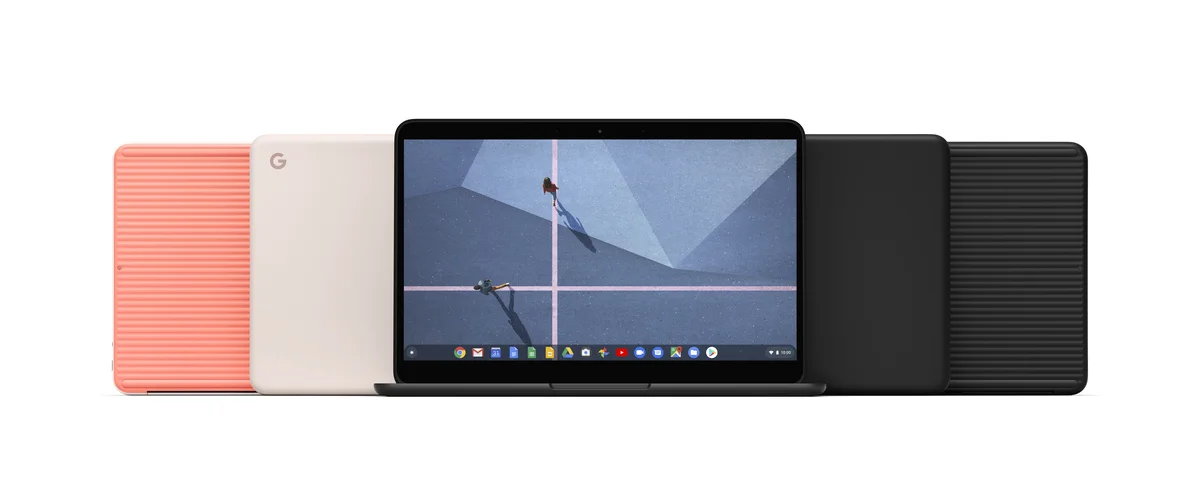
The Pixelbook Go topped out at an Intel Core i7-8500Y, 16GB RAM, 256GB storage, and a 13.3-inch 1920×1080 display in a 'Just Black' magnesium case. When new it carried a price tag of over £1,300. Second-hand prices have moved around considerably — check CeX and similar resellers for current availability, and check the specification carefully before buying. The Core M3 variants are not up to developer workloads; only the i7 with 16GB RAM is worth your time.
The Pixelbook Go is lighter than the original Pixelbook and its ribbed base makes it easier to carry one-handed. The widescreen 16:9 display is genuinely better for running Android Studio and an Android app side by side, even if it is less comfortable for long-form writing than the original's 4:3 panel. The 'Just Black' case is not as premium as the original's aluminium unibody, but it holds up fine in daily use.
Storage is a maximum 256GB SODIMM rather than the NVMe-based 512GB on the original — it is technically slower, but the difference is rarely noticeable in practice. Battery life is excellent. And because ChromeOS keeps almost everything in the cloud, losing or replacing the machine is low-stakes.
Google Pixelbook (original)
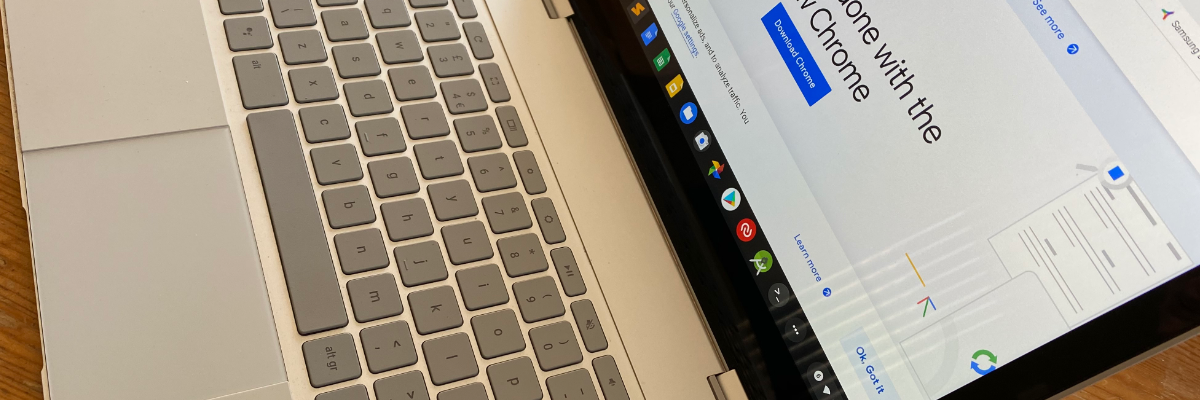
The original Pixelbook remains the more interesting machine in some respects. The top specification — Intel Core i7-7Y75, 16GB RAM, 512GB NVMe storage, 12.3-inch 2400×1600 Quad HD display — is still a genuinely pleasant thing to use. Second-hand prices have fluctuated; check current stock at CeX and similar resellers, as availability of the i7 model in particular comes and goes.
The 4-in-1 design (laptop, tablet, tent, and entertainment modes) is enabled by a 360° hinge and Corning Gorilla Glass over the touchscreen. The aluminium unibody feels closer to a MacBook than anything else in the Chromebook category ever did. It is thin, light, and well-balanced.
The pros:
-
A sharp 12.3-inch 2400×1600 Quad HD touchscreen with Corning Gorilla Glass, and optional Pixelbook Pen support.
-
Intel Core i7-7Y75 (seventh-generation Kaby Lake-Y) processor — still capable for Android Studio workloads.
-
16GB RAM — the maximum available, and the minimum you want for development.
-
512GB NVMe storage — faster than the Pixelbook Go and far more practical than the cramped 128GB and 256GB lower-tier options.
-
Up to 10 hours battery life from a non-removable cell.
-
Two USB-C ports with fast charging and 4K display output.
-
3.5mm headphone jack, dual speakers, and four microphones.
-
Full-sized backlit keyboard with 19mm pitch and 0.8mm travel.
-
Etched glass trackpad.
-
Wi-Fi 802.11ac dual-band and Bluetooth 4.2.
-
720p front-facing camera for video calls.
-
TPM chip for on-device security.
The cons are worth being honest about in 2026:
-
It is past its ChromeOS update end date. No further security patches are coming from Google.
-
No Ethernet port, SD card slot, or HDMI — you will need a USB-C hub such as the Belkin 5-in-1 Multiport Hub Adapter (4K 60Hz HDMI, USB-C 86W Power Delivery, two USB-A 3.1 Gen 1 ports).
-
An intermittent graphics bug producing corrupted text has been observed — minor, but it will not be patched.
-
The seventh-generation Intel processor is showing its age relative to current ARM-based silicon, though it remains adequate for Android Studio.
-
Warranty cover from second-hand resellers varies; check terms carefully before buying.
The 4:3 screen ratio is genuinely better for writing and editing tasks than the Pixelbook Go's widescreen panel. If your development work involves a lot of documentation, that matters. For running Android Studio and a test device side by side, the Pixelbook Go's wider display has the edge.
Comparing performance: Pixelbook i7 vs Pixelbook Go i7

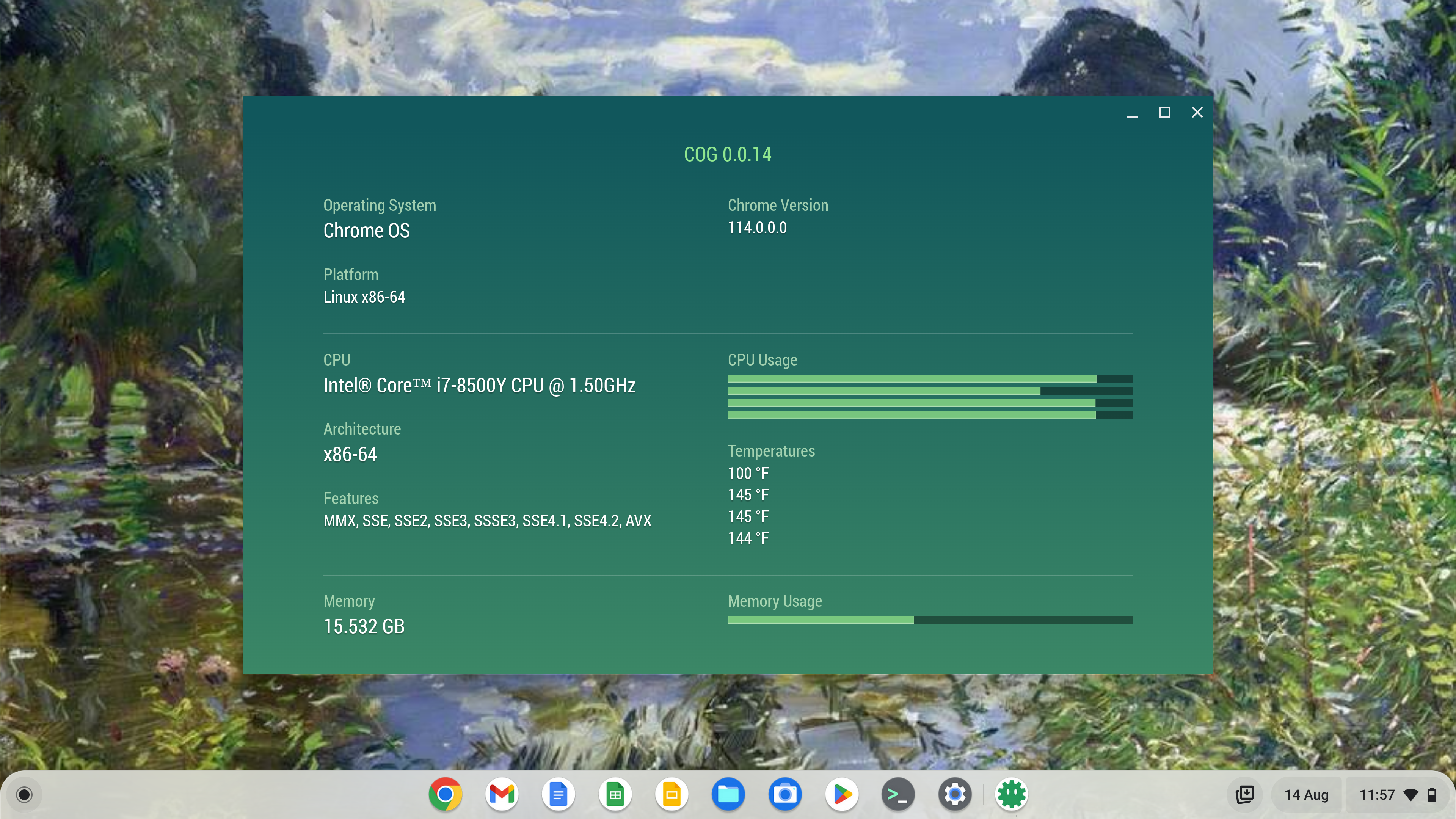
The two devices use different revisions of the Intel Core i7 — the original Pixelbook has the i7-7Y75 (Kaby Lake-Y), the Go has the i7-8500Y (Amber Lake-Y). In real-world use the difference is marginal. Both handle Android Studio, Linux, and ChromeOS running concurrently without significant complaint. Neither will feel fast by 2026 standards, but both remain usable.
What about a Google Pixel Tablet?
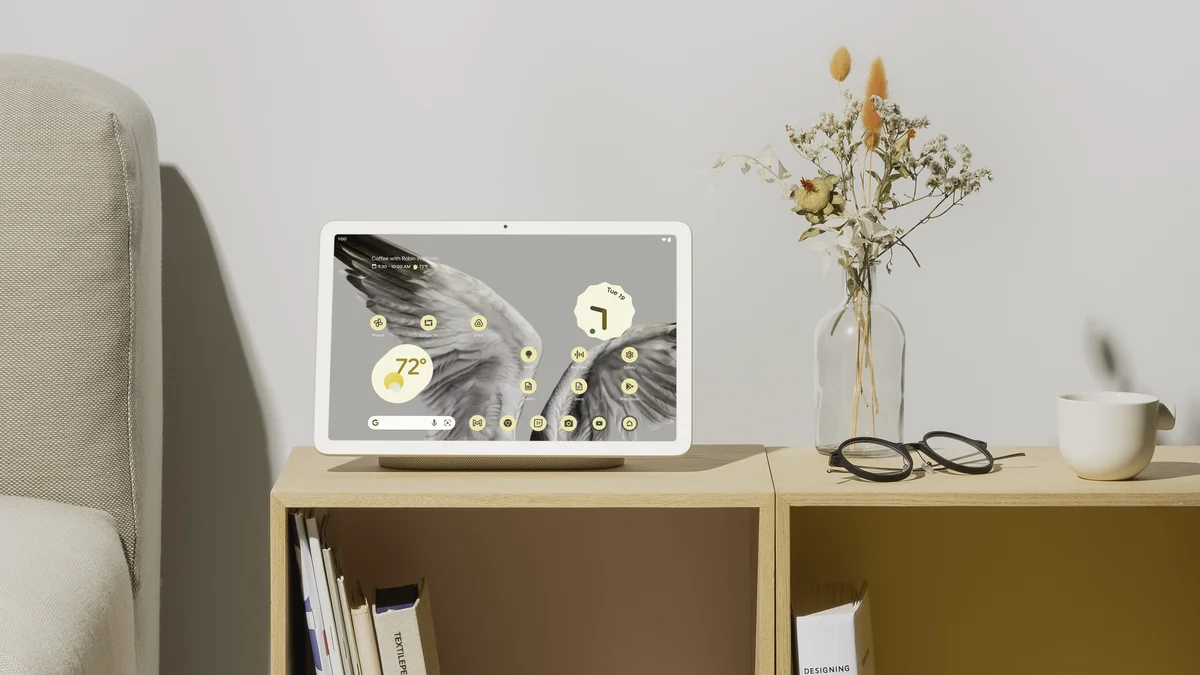
The Google Pixel Tablet is a tablet, not a laptop, and it runs Android rather than ChromeOS. That means no Linux subsystem and no Android Studio — it is not a development machine. It is a capable media and smart home device, and the Tensor chip gives it solid AI and video call performance, but it does not belong in a developer's toolkit as a primary build machine. It remains available from Amazon and Google's own store; check current pricing directly as it has changed since this article was first written.
For development purposes, set it aside.
The bottom line in 2026
If you want a ChromeOS development machine today, the second-hand Pixelbook i7 or Pixelbook Go i7 remain the best options in the category — but both are past their software support end dates, and that is a real consideration for anything handling development credentials or sensitive code. Buy one knowing it is a capable, affordable tool with a finite runway, not a long-term platform.
If you can wait until autumn 2026, the Googlebook is the genuinely interesting new option. It is Android-native, Gemini AI-integrated, and positioned squarely at the premium end of the market. Whether it will support Android Studio and Linux tooling as well as a Pixelbook did remains to be seen — but it is the device to watch.
And as ever: you cannot build for iOS or macOS on any of these devices. For that, you still need a Mac.
See also:
Google maintains an official list of ChromeOS devices that support Linux: ChromeOS Systems Supporting Linux.
Pixelbook software update end dates are published by Google: https://support.google.com/pixelbook/answer/9413900?hl=en.
